
In the following article, we will learn how to enter a stock adjustment.
1. When should I perform a stock adjustment?
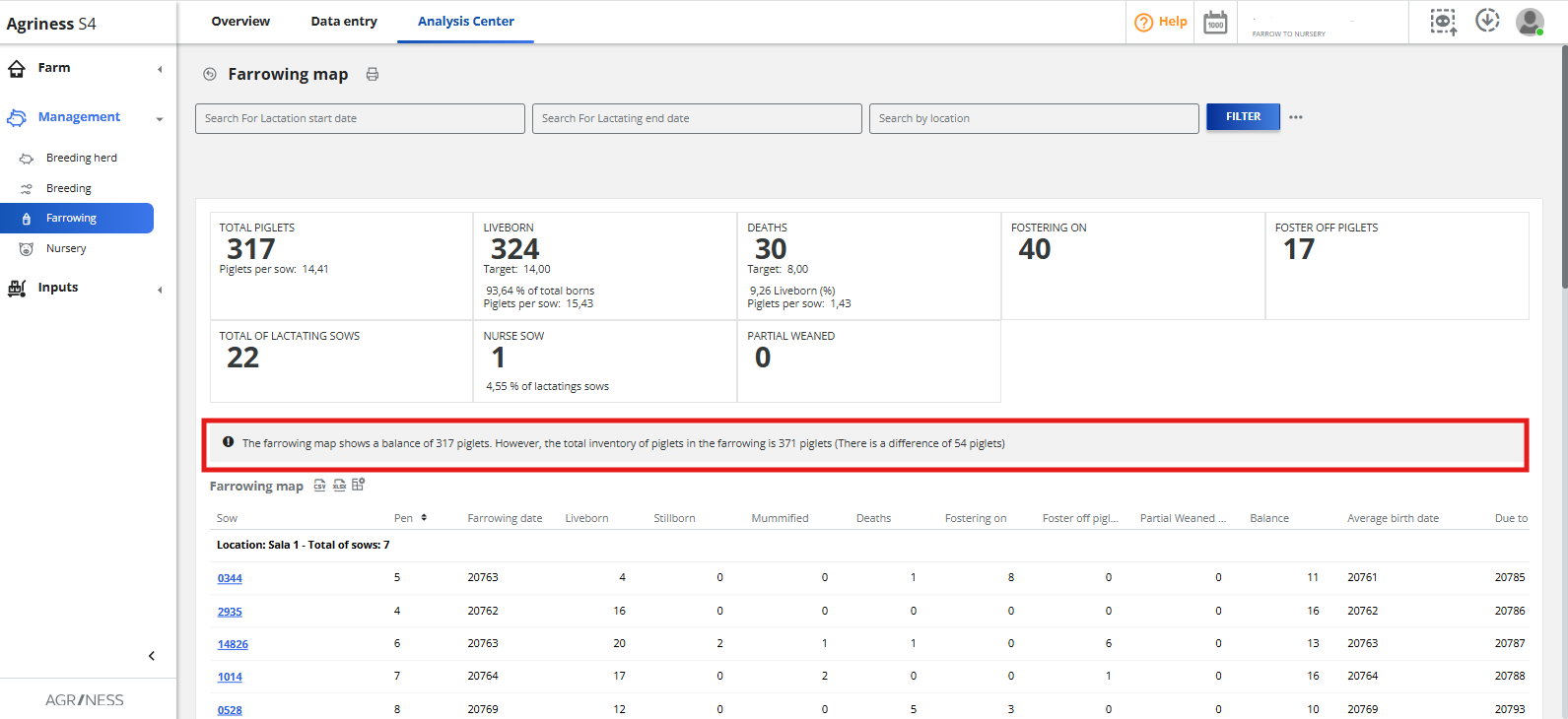
A stock adjustment is performed when we access our farrowing map (management > farrowing > analysis center > farrowing map) and a message appears indicating there is a difference of "x" piglets.

2. What should I do to perform a stock adjustment?
- Print the farrowing map and perform a total count of the piglets on the farm.
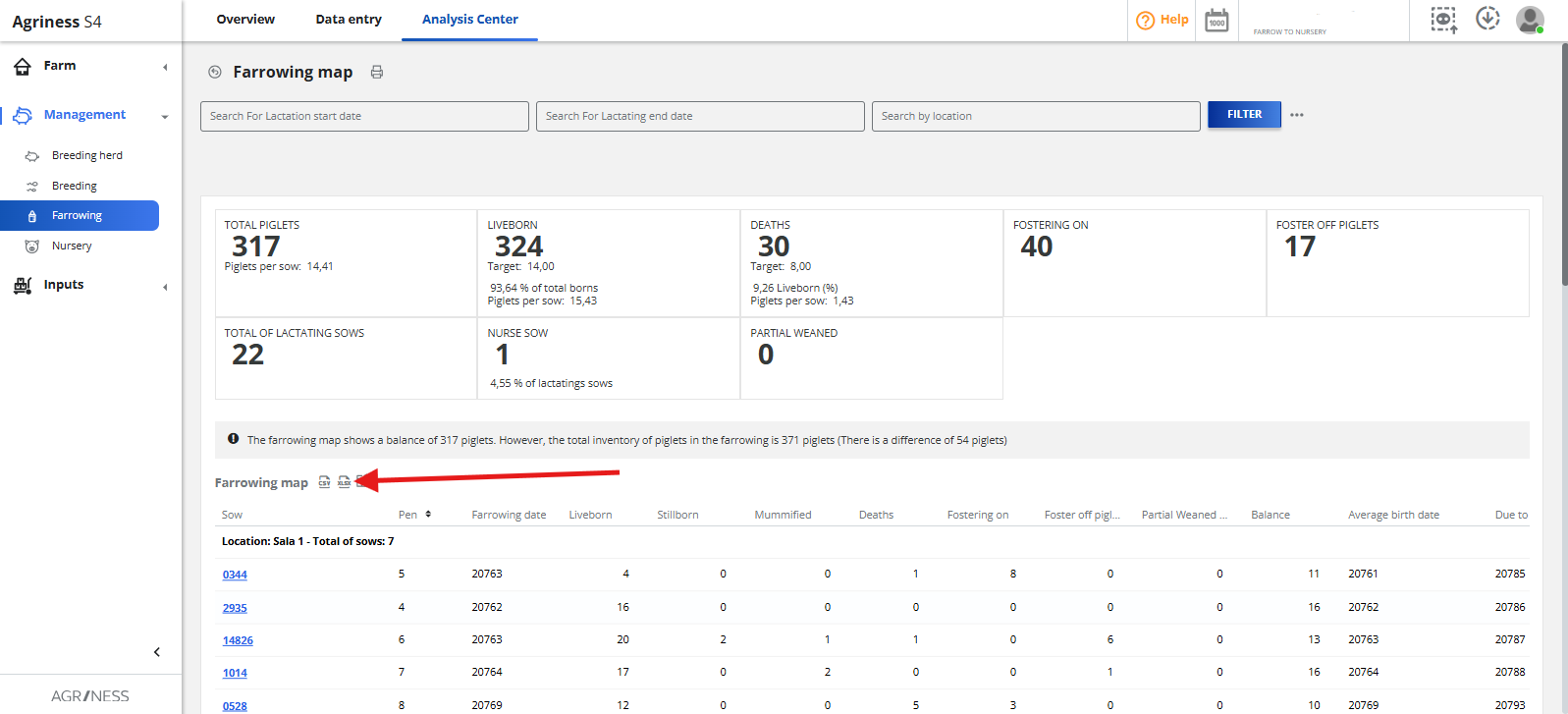
Unlike the S2, in the S4 it is not necessary to adjust sow by sow; we can perform the adjustment just by doing a total count of all the piglets.
Attention: Before performing the stock adjustment, we must enter all retroactive or pending records for farrowing, weaning, movements and deaths. A retroactive entry on the adjustment date will create a new diference.
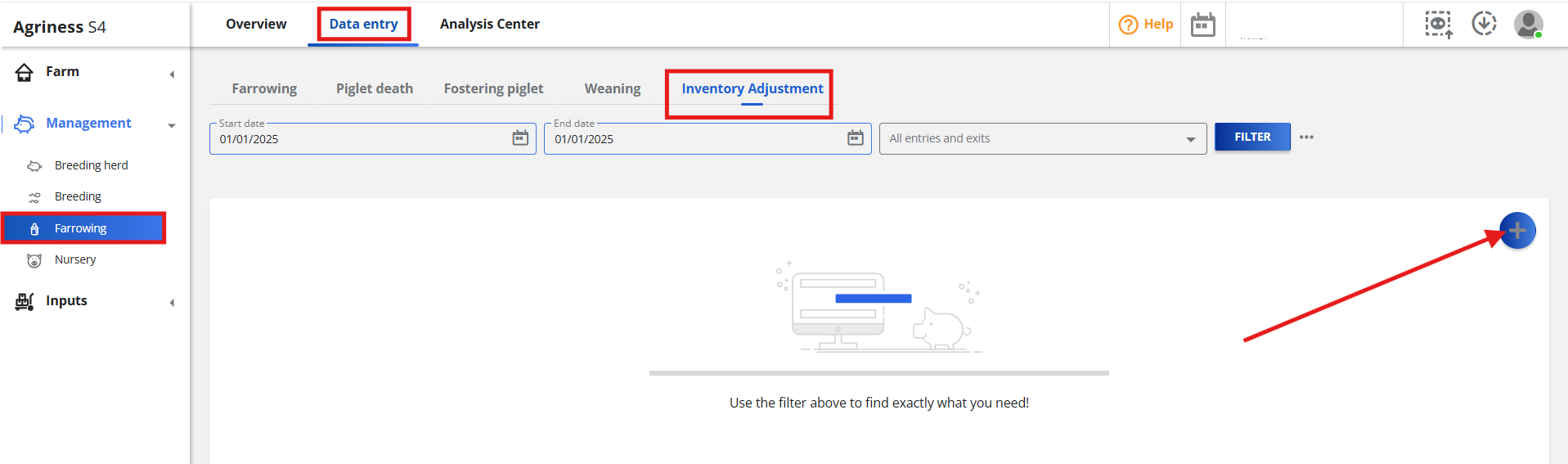
- Go to the Management > Farrowing > Data entry> Inventory Adjustment > Include.
- Enter the stock adjustment date, current inventory and the cause (the current inventory is the count we performed in the farm's farrowing).
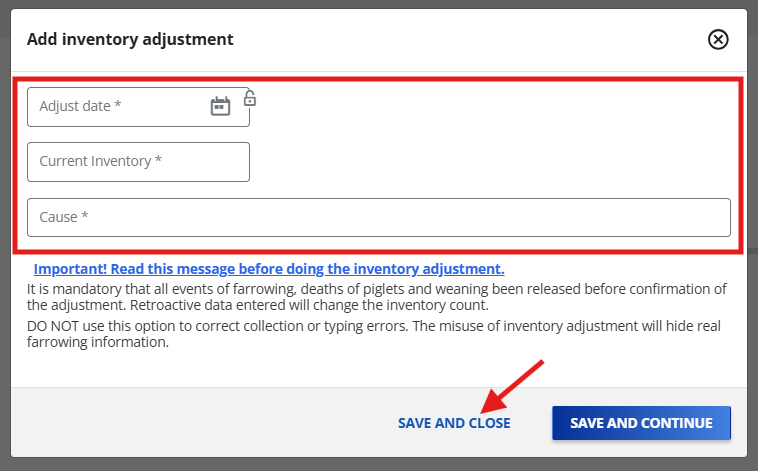
After that, just need to click on "save and close" to close the inventory adjustment screen.
Have questions? Contact us!