
In this article, you will learn how to add a new farrowing to Agriness S4.
In order to do so, you should first access: Management > Farrowing > Data Entry > Farrowing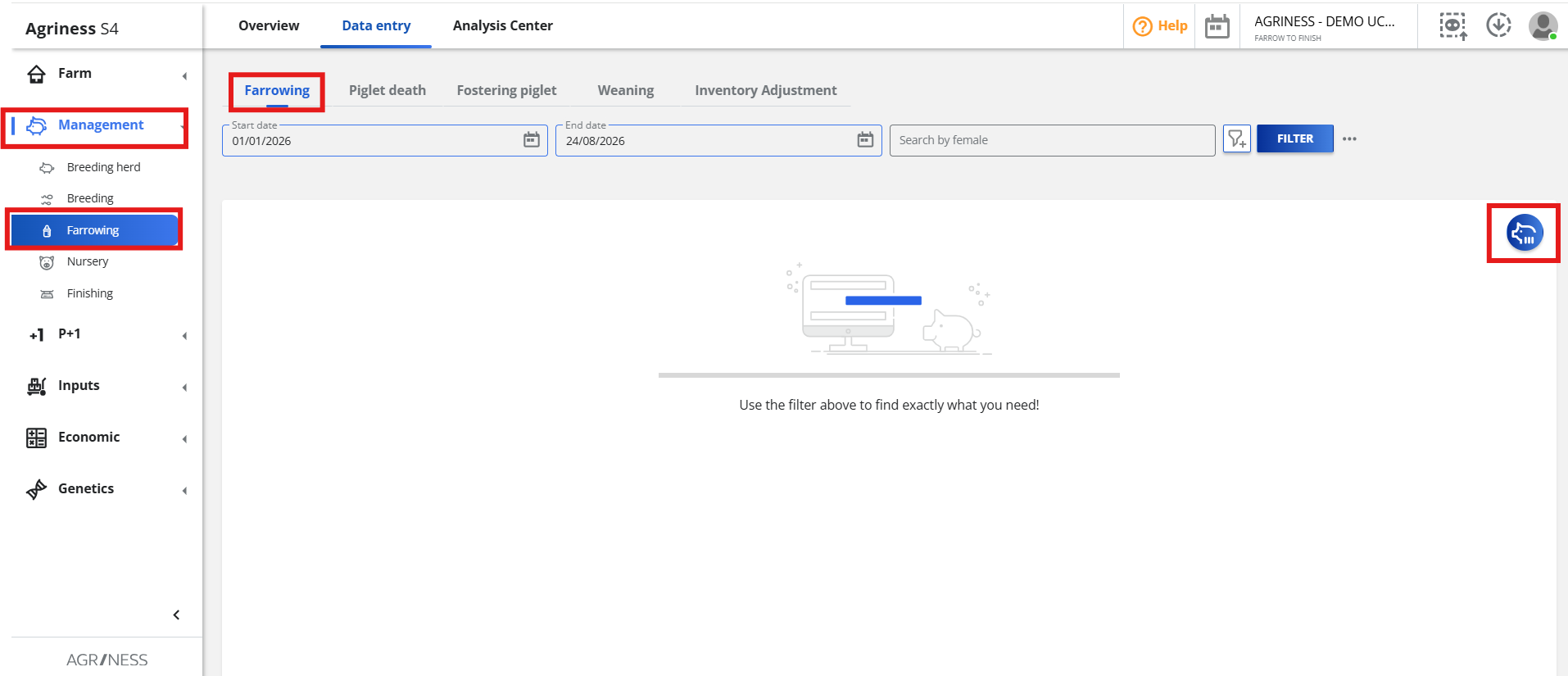 Then, click on the blue data entry button:

Right after clicking on this icon, the following screen will appear, where you should fill out all the information to add the farrowing event, as in the picture below:

Fill out the fields according to the instructions below:
Female ID: Enter the number or tattoo of the pregnant sow.
Start date: The farrowing start date.
Start time: The time farrowing began.
End time: The time farrowing ended.
End date: The farrowing end date.
Liveborn: Number of live-born piglets.
Stillborn: Piglets that died shortly before or during birth.
Mummified: Piglets whose development stopped between the 35th and 90th day of pregnancy. These piglets typically have a darker appearance.
Females: Number of female piglets born.
Boars: Number of male piglets born.
Weight: Enter the average weight of the litter, or switch to enter the total litter weight by clicking the icon.
Low viability: Number of piglets that are underweight or visually weak.
Reminder: All the fields marked with an asterisk (*) are mandatory. In this case, in order to add a farrowing event, you must complete the following information: Female ID, Start Date, Females, Males and Weight.
On Commercial Farms, you must click on "Save and Continue" to add more farrowing events or click on "Save and Close" to leave the data entry screen.
For Genetics Farms, the farrowing data entry screen has a "Next" button on the bottom, as in the picture below.
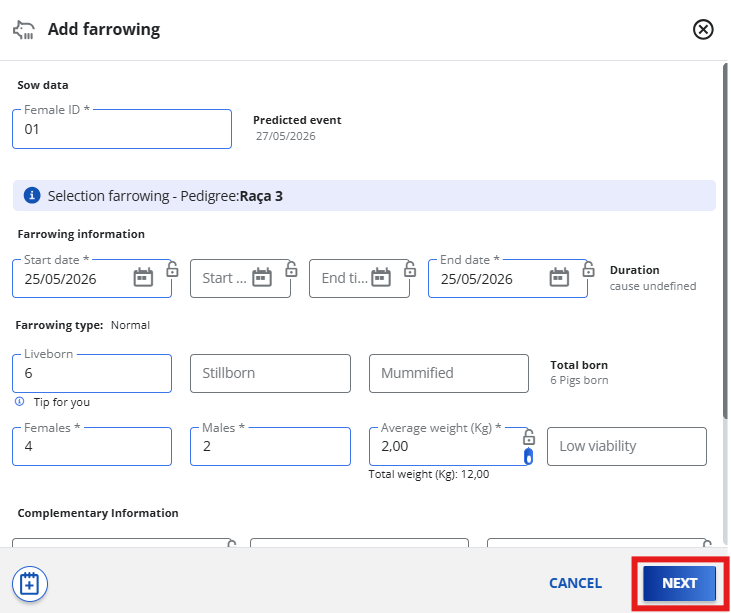
Clicking "Next" allows you to generate IDs for the selected piglets born in this farrowing event. If your farm already has an active identification rule, clicking "Generate Identification" will automatically create the piglets' IDs based on that rule.
After complete entering, you can click on "Save and Continue" to add a new farrowing or click on "Save and Close" to leave the page.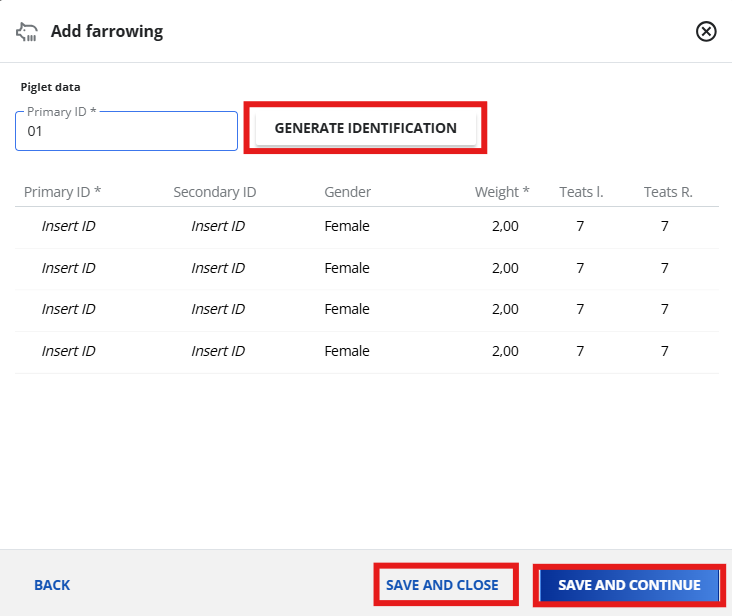
Important: If your farm does not have identification rules configured for selected piglets and you would like to set them up, please contact Agriness Customer Support.
Do you have any more questions? Please contact Agriness!