
In this article, you will learn how to add a weaning event in S4.
First, you should access: Management > Farrowing > Data Entry > Weaning, as in the image below.
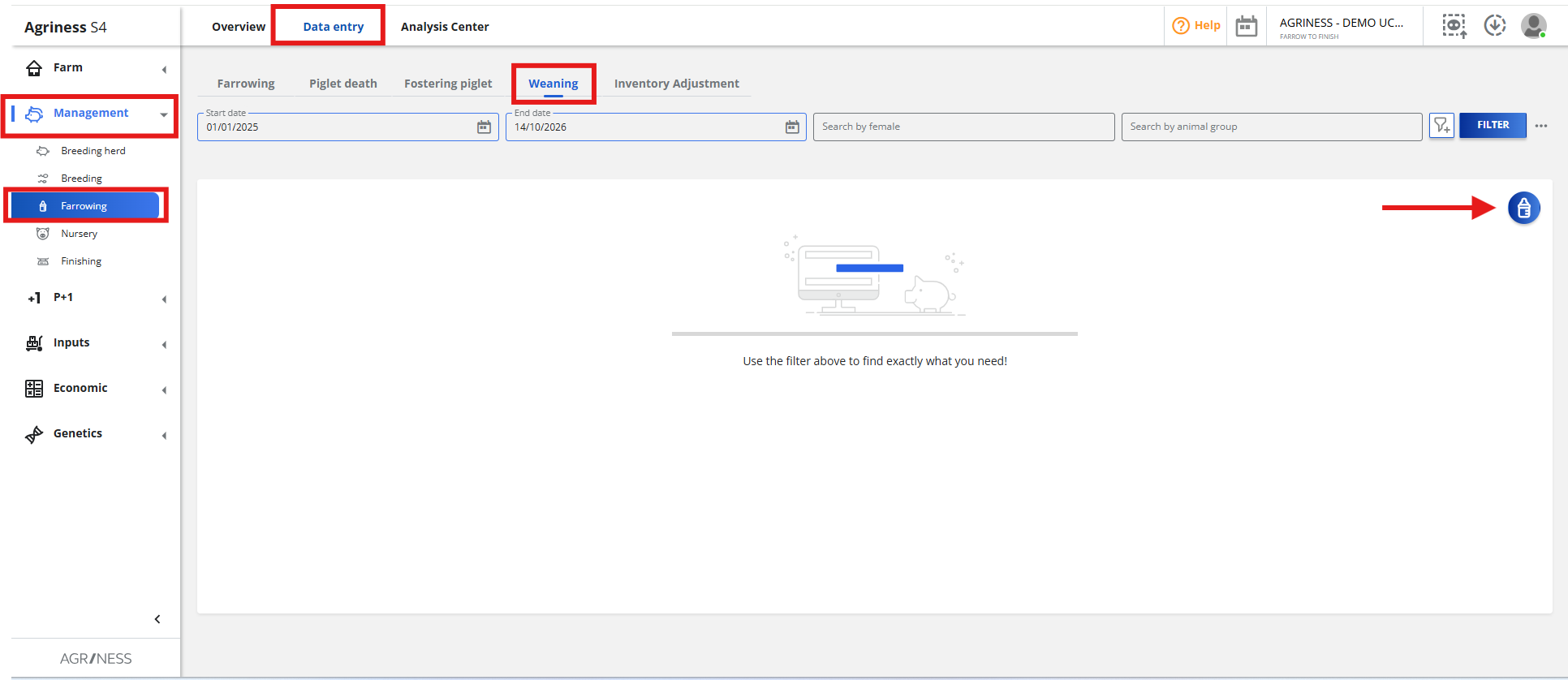
Then, you should click on the icon , in the top right corner.
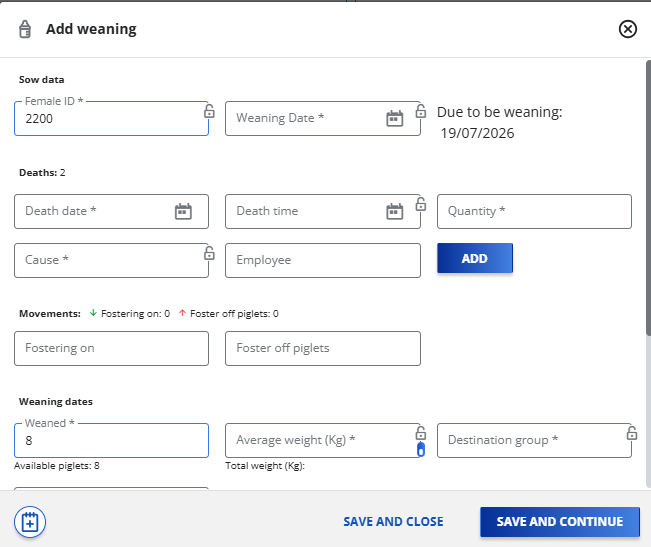
In the following screen, you should enter the information for the required fields in the "Sow Data" and "Weaning dates" sections:
- Female ID (the sow's identification; its reproductive status must be lactating)
- Weaning Date (the date on which the weaning was actually registered in the farm)
- Average or Total Weight in kilograms (kg)
- Destination Group (for the weaned piglets)
- Destination Location (for the weaned piglets)
Once you enter the Female ID, the system will automatically display the "Due to be weaned" date, indicating the recommended weaning date based on the sow's recorded history.
On this same screen, you can also record piglet deaths and movements (fostering on and fostering off). To add mortality events, you should click on the "Add" button. To add the piglet's movements, enter the number of piglets fostered on or off according to the sow's records.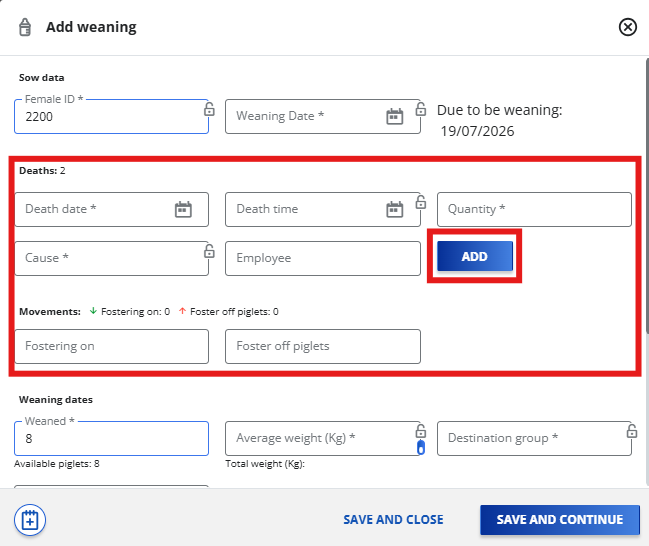
You can also add the complementary weaning information as needed, as shown in the picture below: 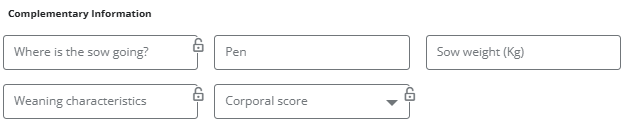
If you are magaging a genetics farm, you can switch on the icon  and click on "Next".

A screen will appear where you can select piglets by ID or by clicking the button next to the Primary ID field.

Once you are done, simply click on ''Save and Continue'' to keep adding weaning informations or click ''Save and Close'' to leave the weaning screen.
Still have questions? Please contact Agriness Customer Service!