
Hello!
The null weaning event is automatically generated by the system when a sow has not been weaned yet, but has run out of piglets due to death or piglet transfer events. Even if there is a partial weaning, the system will take into consideration the last event recorded that left the sow open.

1) How to check the event that generated the Null Weaning?
To check the event that has generated the automatic Null Weaning it is necessary to access the Sow Card. To do so, you should go to Management > Breeding Herd > Analysis Center > Sow Card. 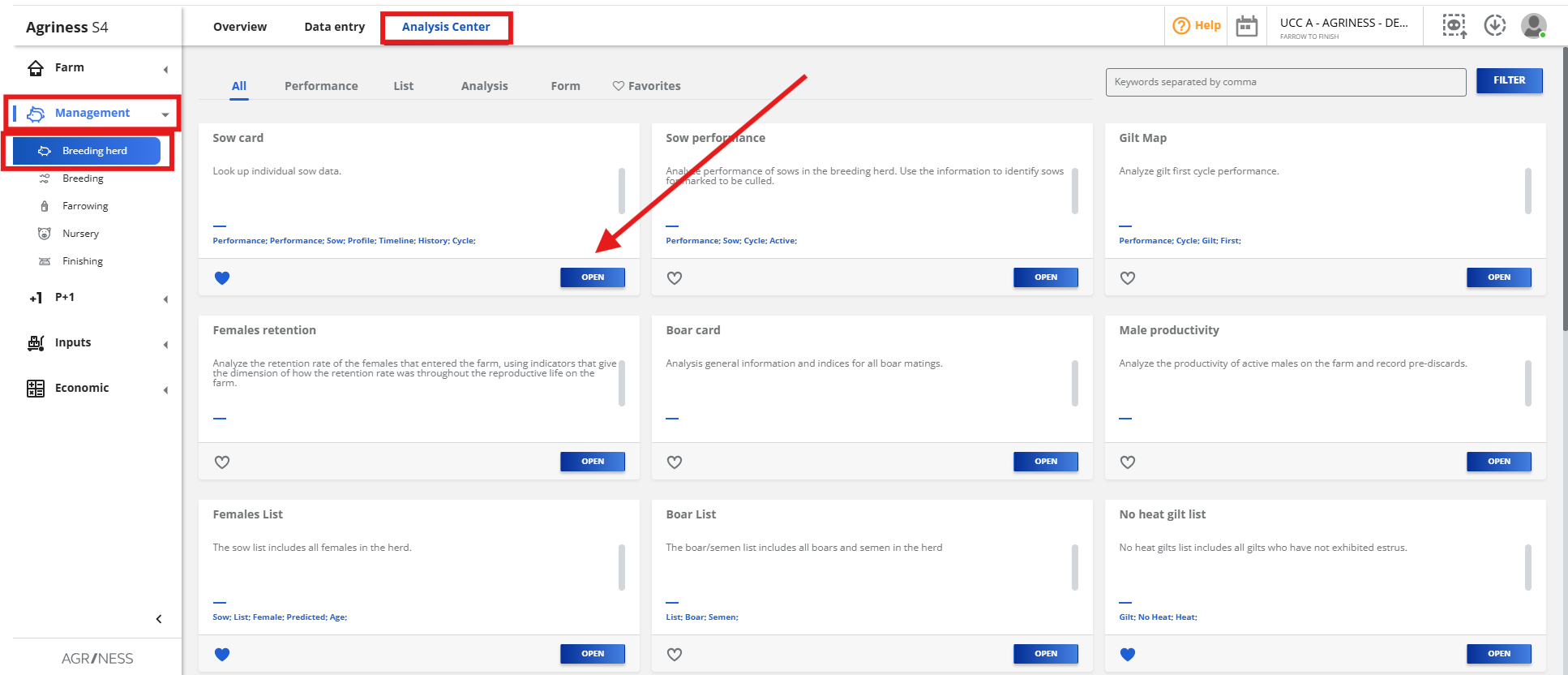
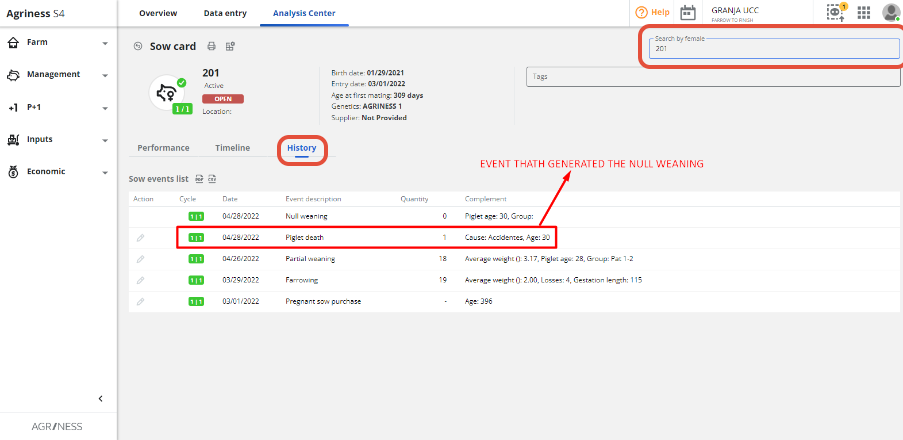
Then, search for the Sow ID and select the corresponding card. In the "History" section, it will be possible to check all the registered events for the sow, allowing you to identify the event that triggered the automatic null weaning. Take a look at the example below:
2) How to undo a Null Weaning event?
To undo a Null Weaning you need to delete the last event that left the sow open. That is, you need to delete the death entry or transfer that actually left the sow without any piglets associated.
To delete, you have to access: Management > Farrowing > Data entry > Piglet Death or Fostering Piglet > Filter by Female > Delete the data that caused the null weaning, as in the example below:

3) Null weaning generated by a foster piglet event:
In cases where the null weaning was added by a "Piglet transfer", all subsequent sow events must be deleted until the piglet receipt event. Only after deleting all the events, it will be possible to delete the source event that triggered the automatic null weaning.

4) Final Considerations:
Finally, it is important to remember that the Null Weaning will only appear if, when adding a piglet death or foster event, the option "Do the open sow" is selected. Otherwise, if the option "Keep Lactating" is selected, the system will not generate a null weaning, leaving the sow in the lactating reproductive status. See also the example below:

Still have questions? Please contact the Agriness Customer Support team!