
This is the step-by-step to create a nurse sow in S4.
1. Access Management > Farrowing > Data entry > Fostering piglet. Then, click on Add Nurse Sow.

2. Fill in the information. Remember that fields marked with an asterisk are mandatory (Female ID/ Quantity/ Age of Piglets).
3. If you want to create more than one nurse sow, click on the + icon beside the "Age of Pigs" field to add another.
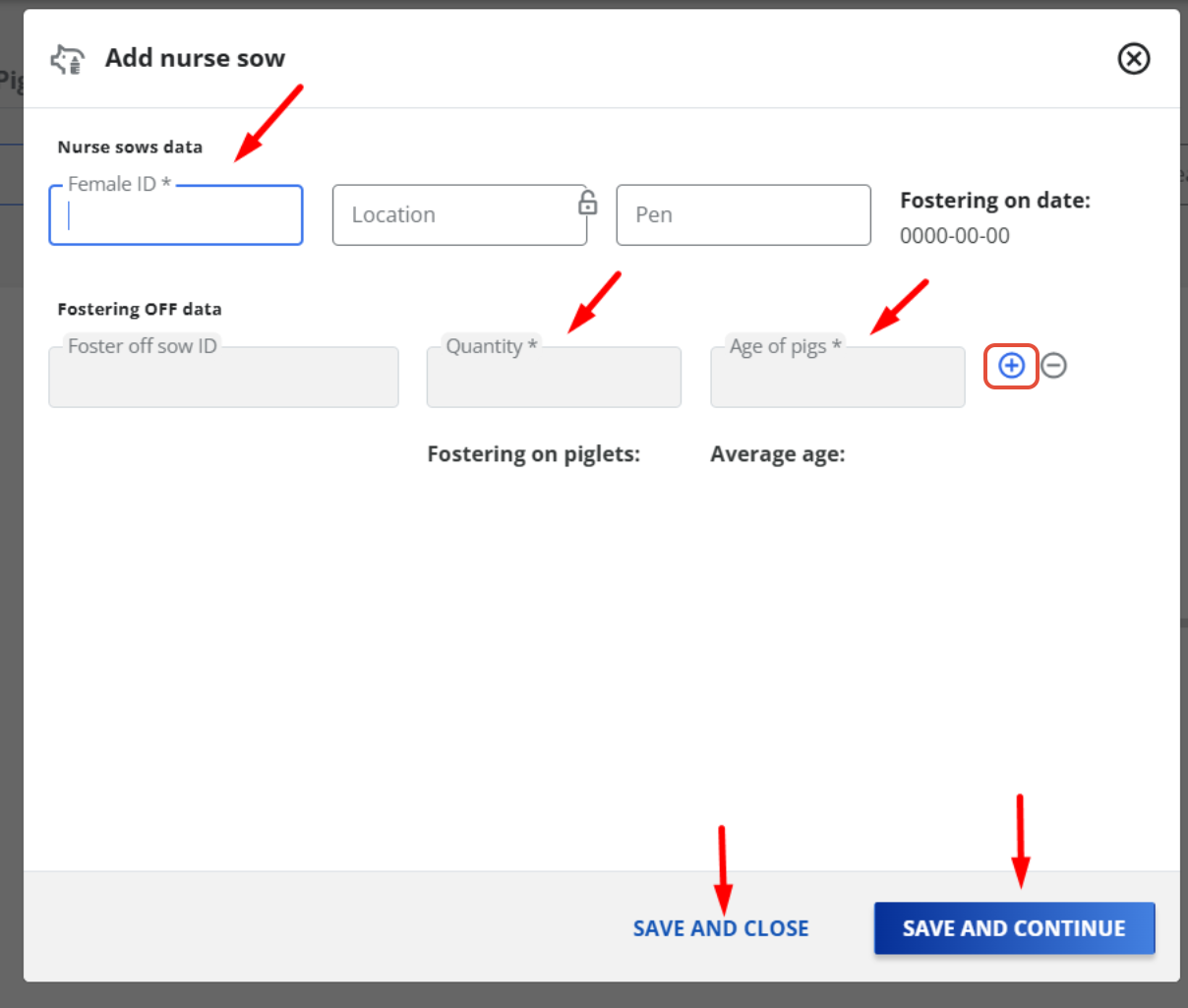
4. When you finish the data entry, click on "Save and close''. if you want to create another nurse sow, you should click in ''Save and continue.''
5. If you have a genetics farm, in the "Add Nurse Sow" screen, you will have an option named "Inform Piglets" and "Next". This option is used to identify selected piglets being moved in the Farrowing phase. It is not mandatory information to fill out, because it can be deactivated. However, it is an important field to fill out because it ensures the traceability of movements made in the farm. 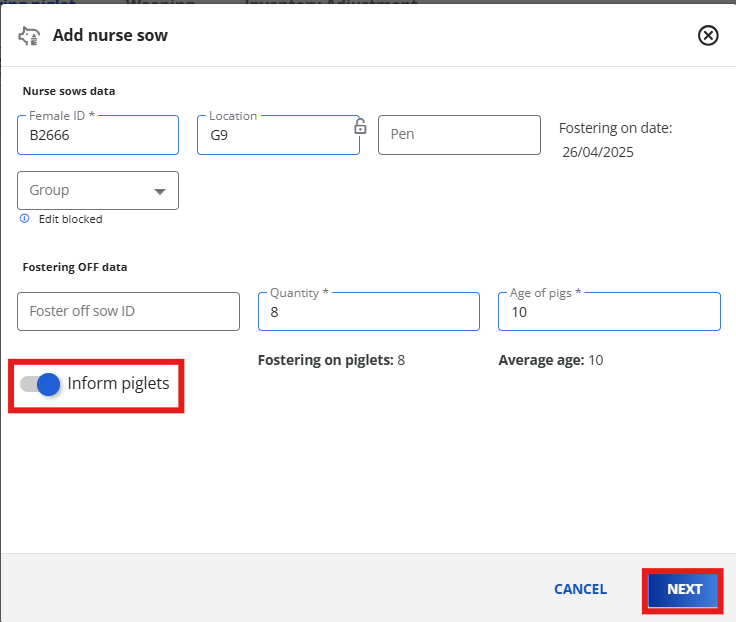
6. By clicking on "Next", you can confirm the selected piglets moved. The system also allows the activation of the options "Show only the piglets in the sow" or "Show all selected piglets". At the end, you click on "Save and Close" or "Save and Continue" to finish the operation. 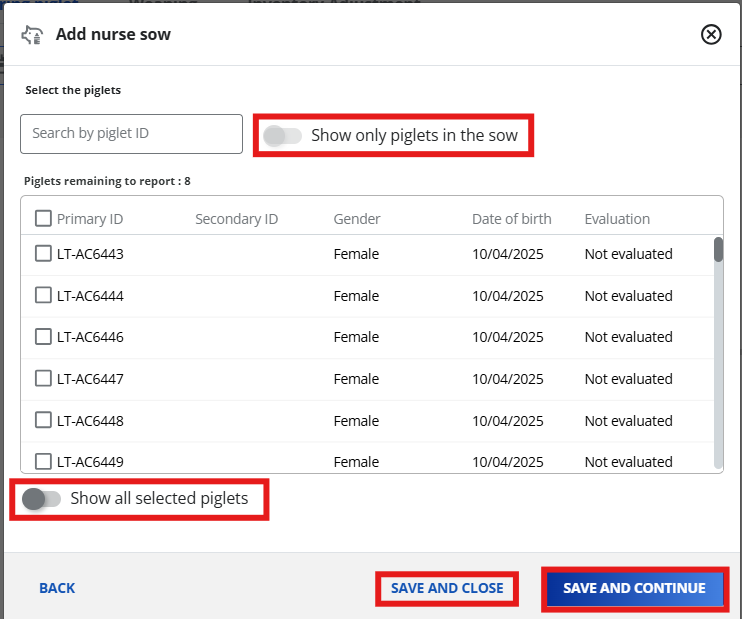
Reminder: Rules for creating a foster mother
1. She must be open (not pregnant) and not lactating;
2. She must receive the piglets on the same day of weaning;
3. In case of abortion, the system only accepts sows with a gestation of 100 days or more to be made a nurse sow.
Questions? Get in touch with us!