
Group Management is a feature that helps organize the management of the sows on your farm.
It allows you to group the animals by management week
This article explains how to set up, use, and understand this tool.
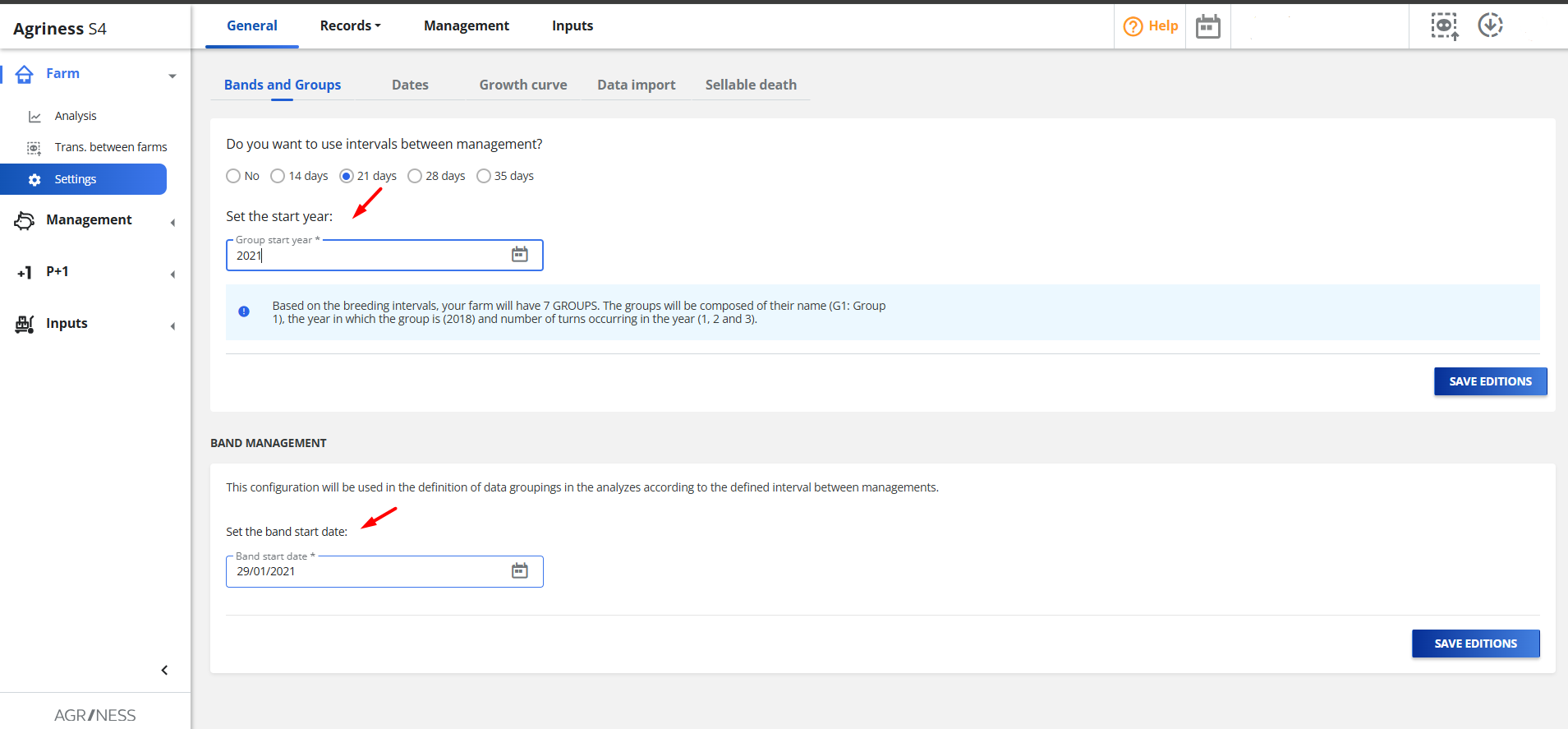
To start using Group Management, you need to enable the feature in the settings. The process is simple:
- Go to Farm > Settings > General > Bands and Groups
- Select the interval used on your Farm.
- Now just enter the start year for the mating group.
- The year to be entered should be the year in which you want to start counting and forming the management groups. - Set the Batch Start Date:
The date entered here will be the reference to create and organize all your management groups (batches) throughout the year.
- Which date to use? Ideally, you should enter the date of the first group of the current year.
For example: If the first mating of your first group of sows in 2025 occurred on January 7, the date to be entered is 07/01/2025.
Done! The system is now configured to work with management groups.