
Adjusting the farm's strategy is common, and this can include changing the day interval of your group management (for example, from 14 to 21 days). S4 allows you to make this change, but it is an action that requires great care due to its impact on historical data.
When you confirm the change of the day interval in the settings, all the history of bands formation and the previously grouped data will be permanently deleted.
Why does this happen?
The system needs to rebuild the entire grouping logic based on the new interval. The old structure (with the 14-day interval, for example) becomes incompatible with the new one (21 days) and is therefore completely removed to make way for the new organization.
Step-by-step guide to changing the Management day interval:
- Go to Farm > Settings > General > Bands and Groups
- Before changing to the new interval, you must first select the option:
"Do you want to use intervals between managements? > No"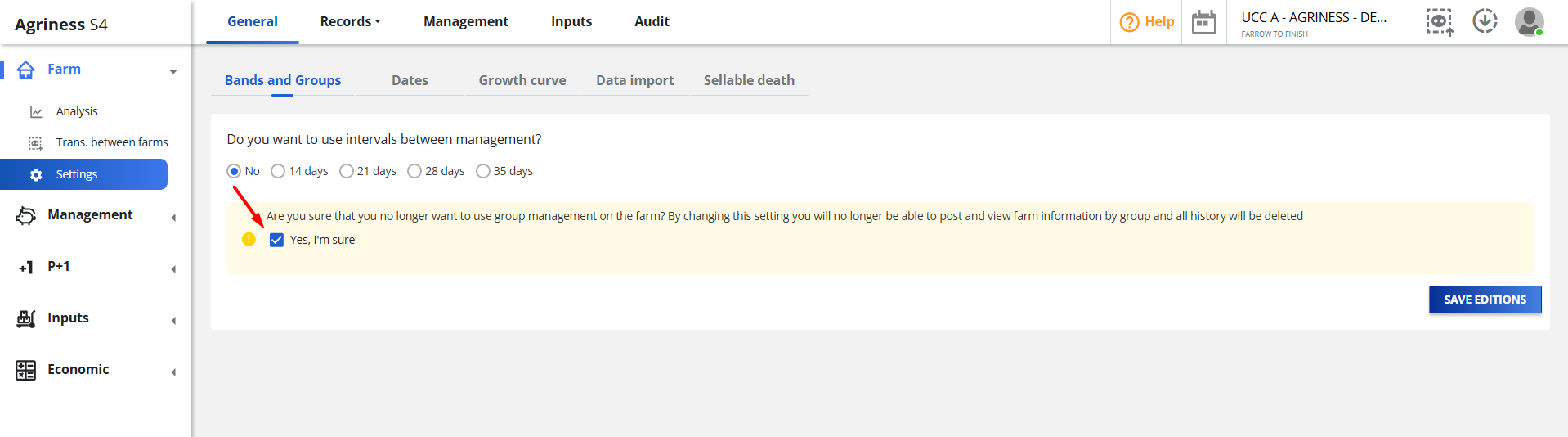
After reading and agreeing to the displayed warning, scroll to the bottom of the page and click the "Save" button.
Now in the Interval (days) field, click the dropdown menu and select the new number of days that you will use for your management (for example, select 21 days).
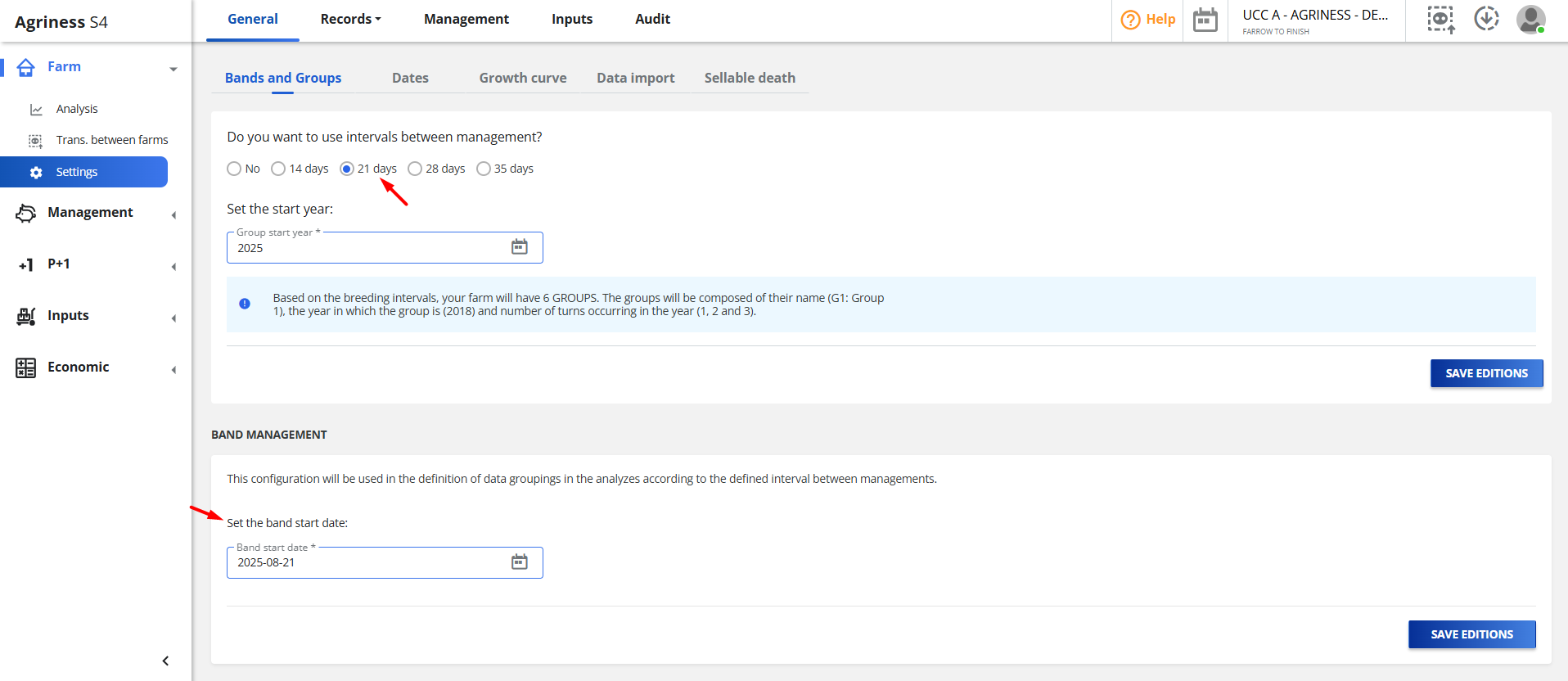
- It is not necessary to change the Band Start Date.
Done! The system will process the change, and your new management groups will now be organized based on the new interval.
Before you change, we suggest that you:
- Be sure of the decision: Discuss the change with your team and consultants. The change should be final for the farm's new strategy.
- Export your current data (if necessary): Before making the change, generate and save important reports (like the Production Map and other management reports) that depend on the current grouping. This way, you ensure you have a backup of your history.
- Be aware of the impact: After the change, the system will start grouping the animals "from scratch," using the new interval rule and the configured batch start date