
Agriness S4 - Grower-finisher data and analysis
The purpose of this guide is to transform the way you use S4, focusing on optimizing management—shifting from simple data entry to a powerful tool for analysis and strategic decision-making during the nursery and finishing phases.
1- Basic record, management validations and targets
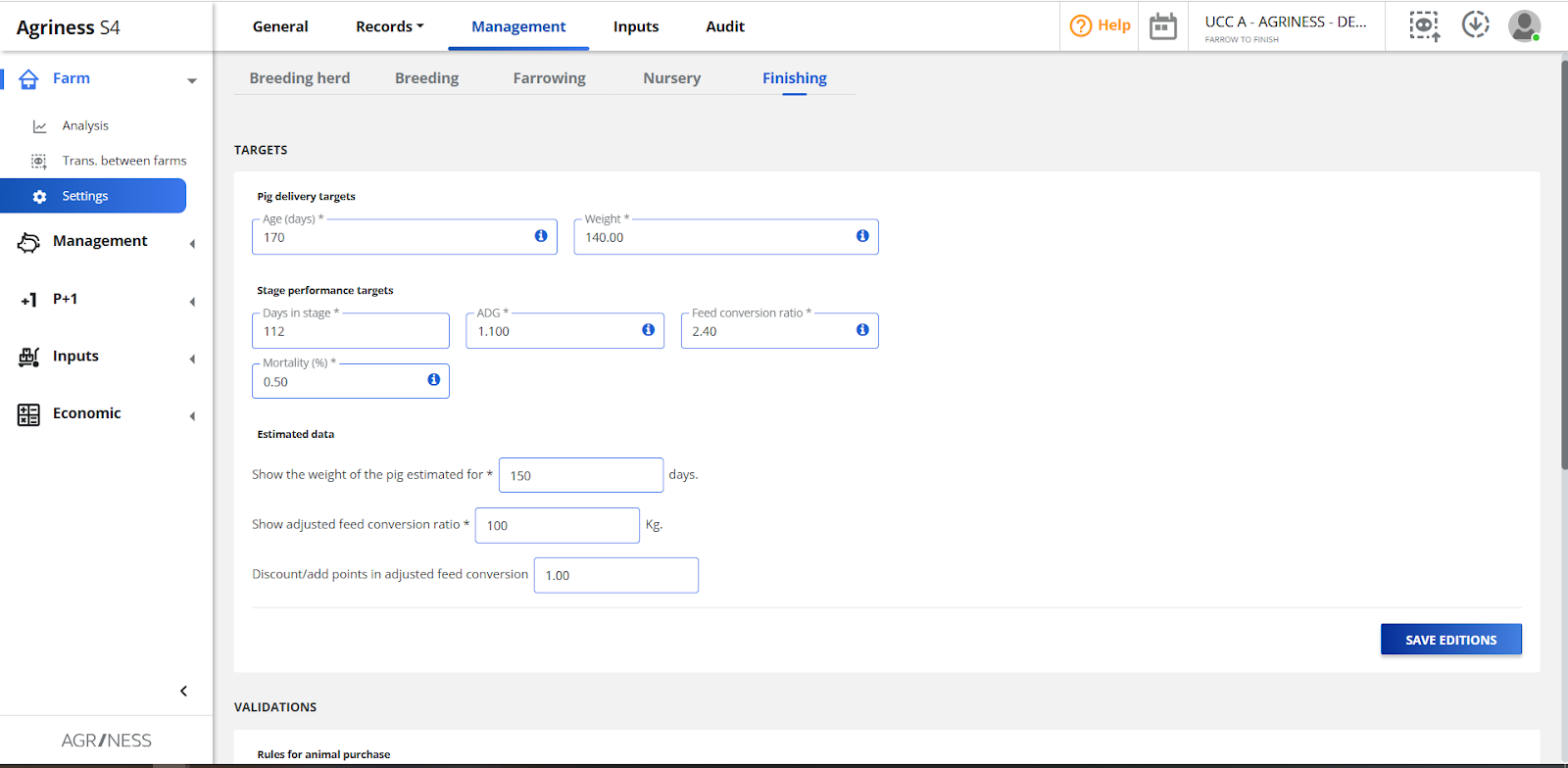
To use the entered data properly, farm settings must be configured first. Based on these settings, S4 will apply specific rules and highlight key points for entries and analyses.
Basic records: mortality causes, feeds, vaccines, and medications. These are the foundation for complete data entry.
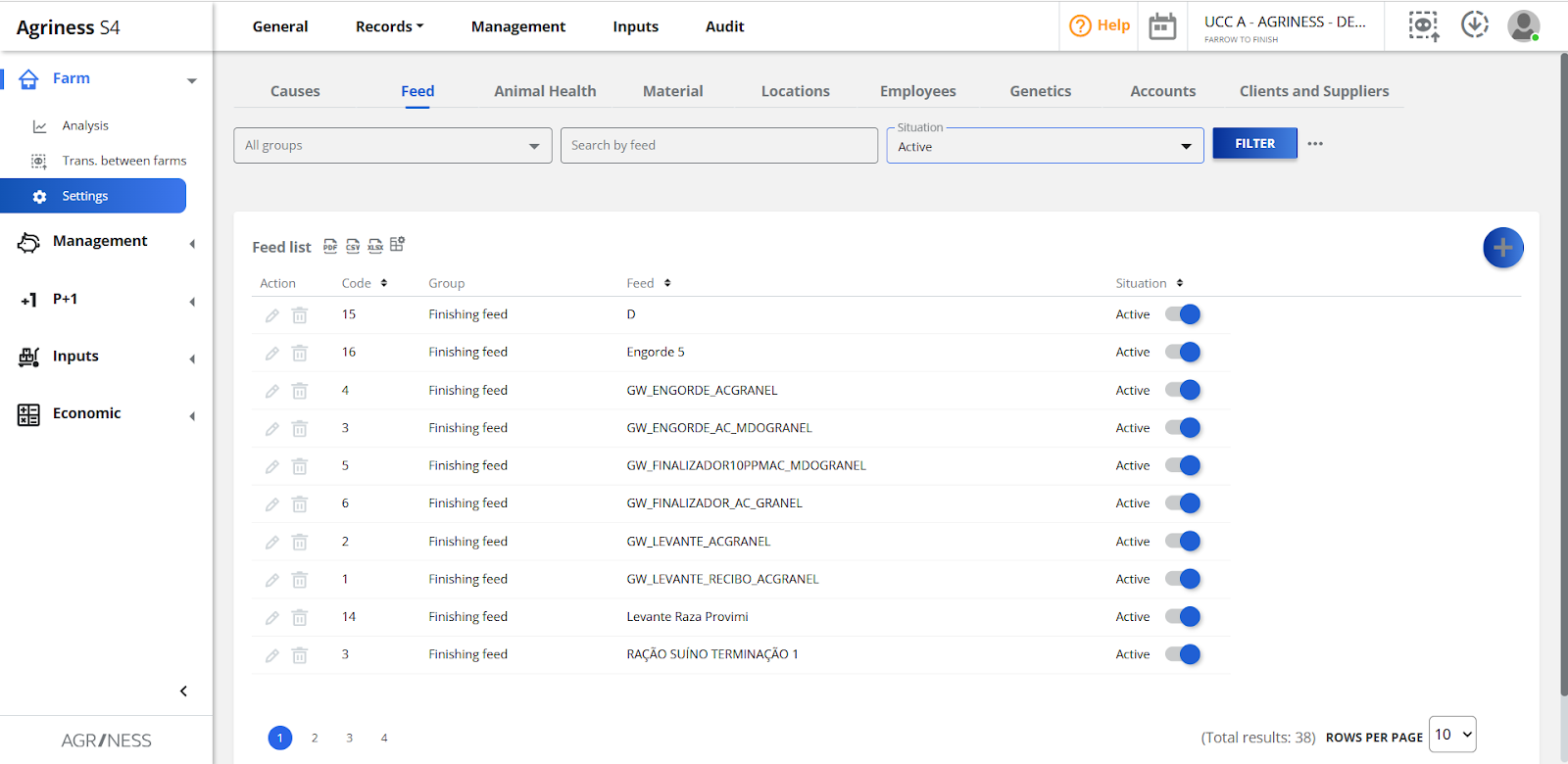
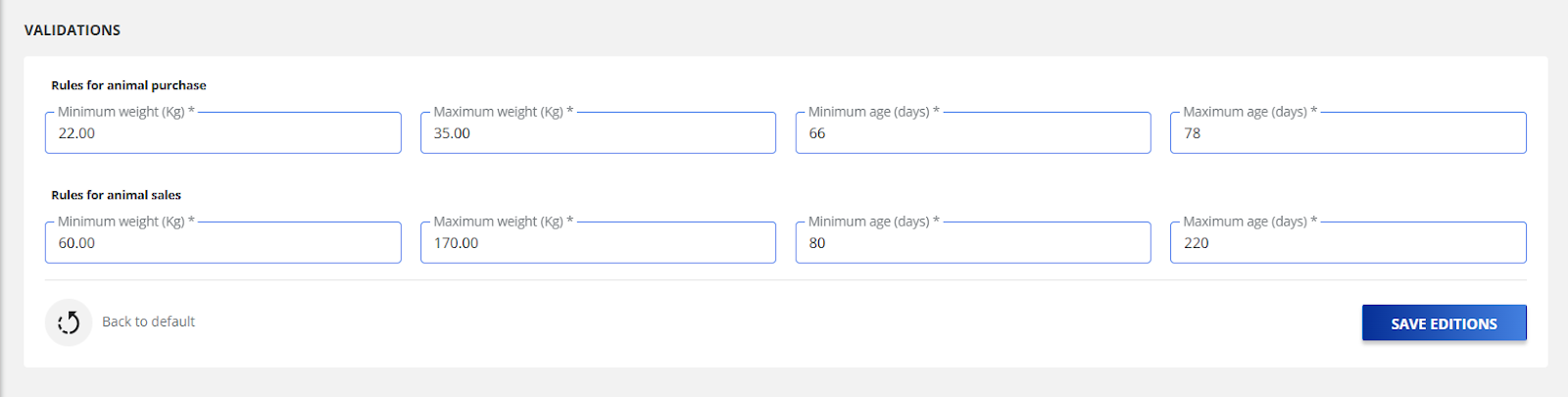
Management validations: validations and growth curve.
Validations are crucial to ensure data entries meet expectations, preventing human errors during input.
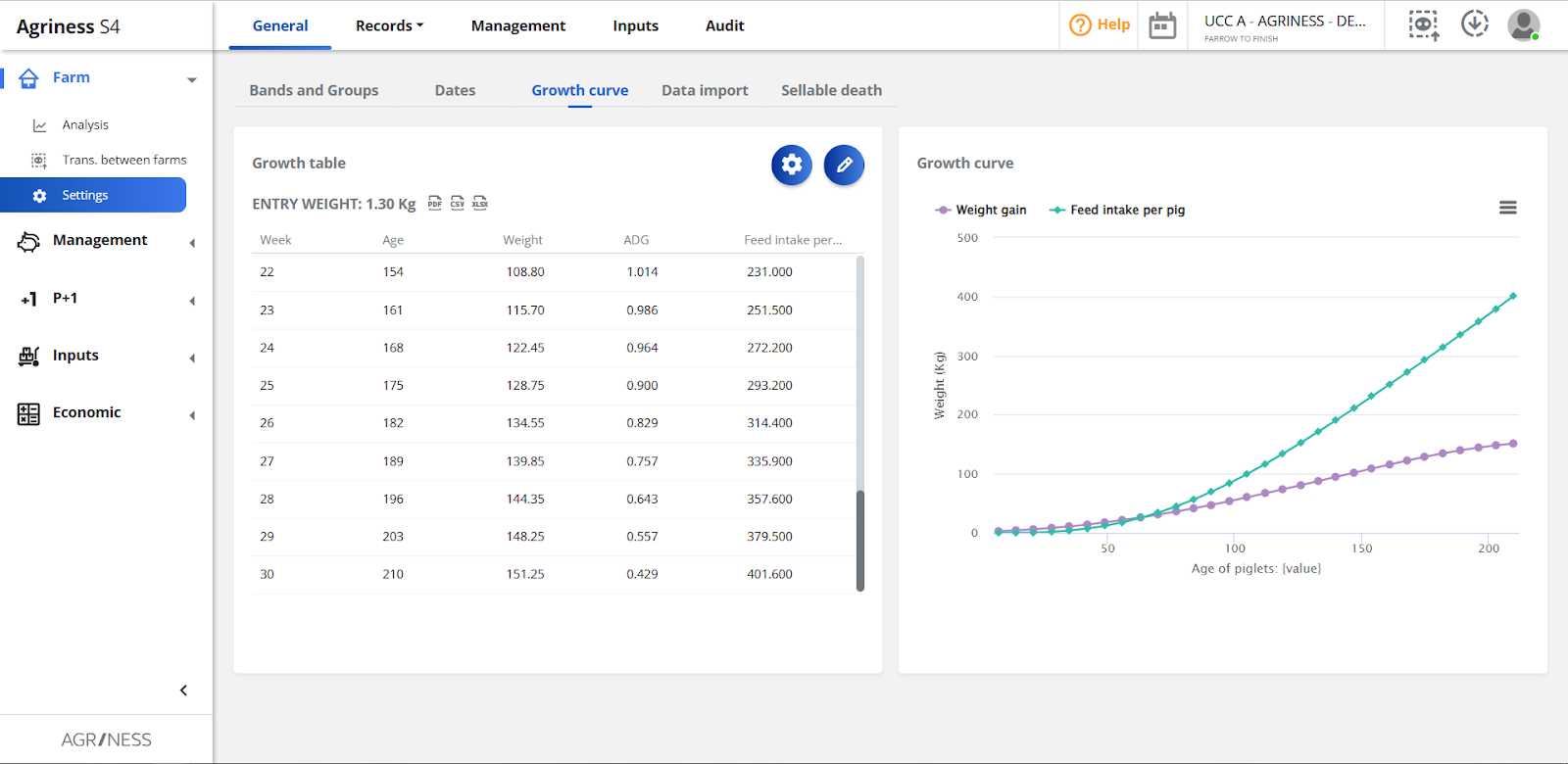
Accurate data for the growth curve will help analyze batch results.
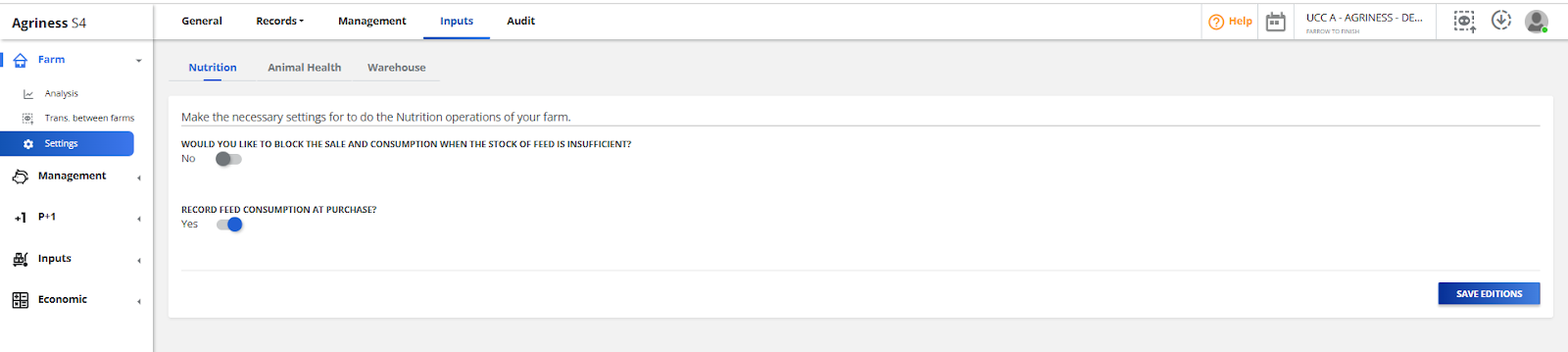
Just as nutrition settings are important, if the farm wants to control feed purchase, consumption, and inventory with S4 support. To facilitate farm operations, we recommend enabling record feed consumption at purchase setting.
Targets: they serve to guide analyses based on the chosen reference. If targets are not correctly defined, result evaluation may be biased, not leading the farm to the best path.
2- Data entry
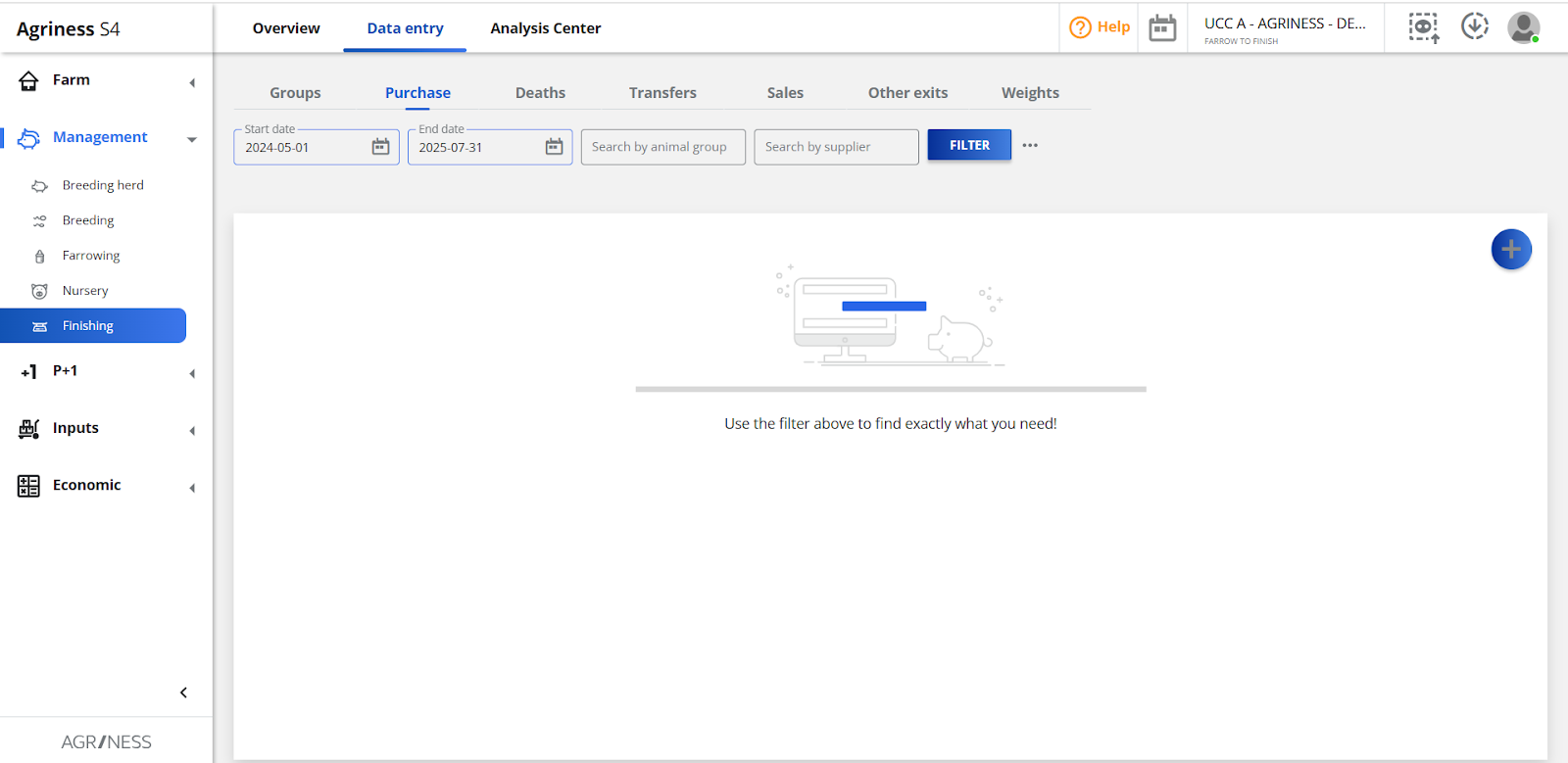
The accuracy of your analysis directly depends on the quality of the data you enter into the system. Ensure that everything happening on the farm physically also happens digitally.For batches, the following points are crucial:
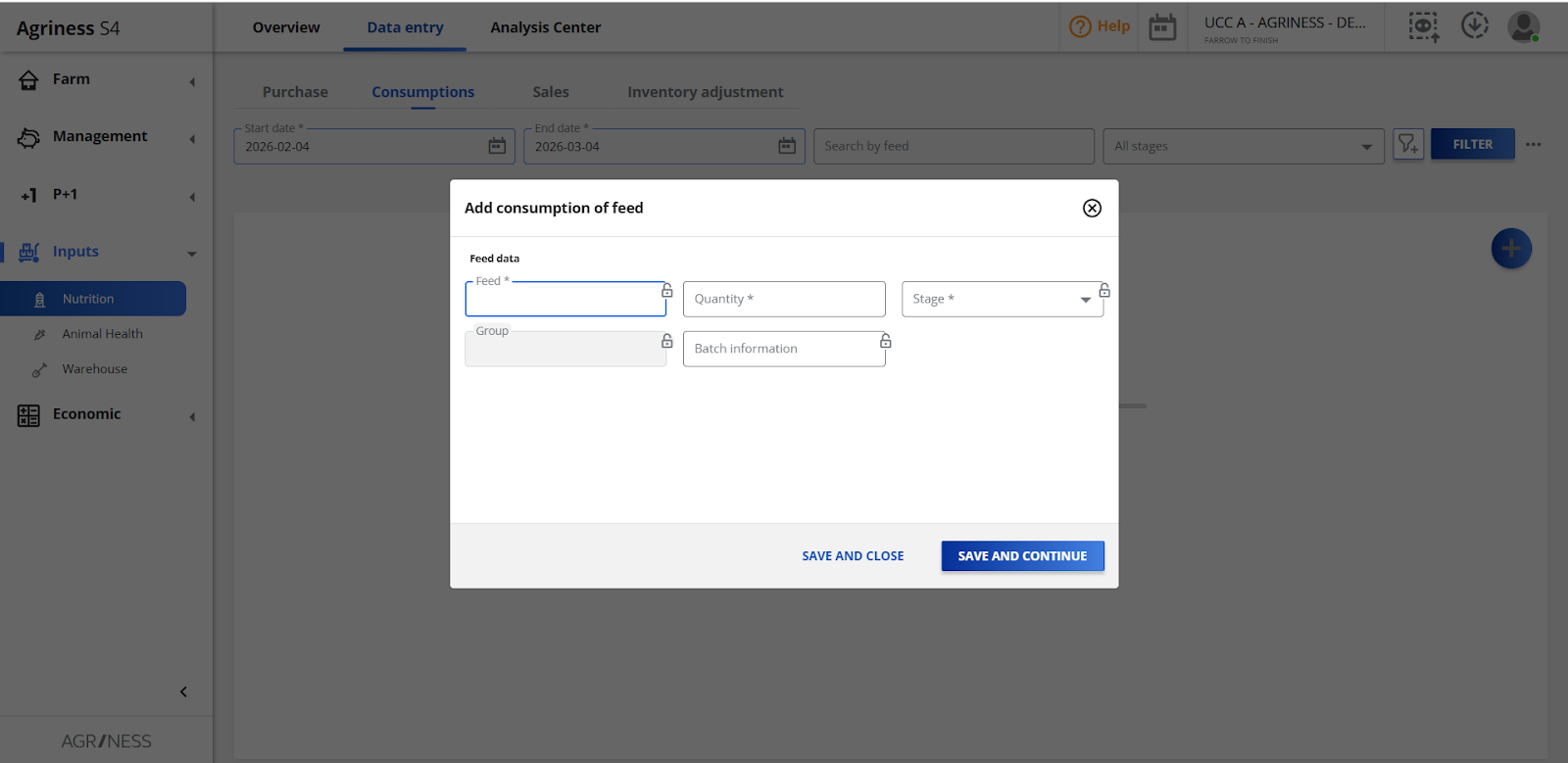
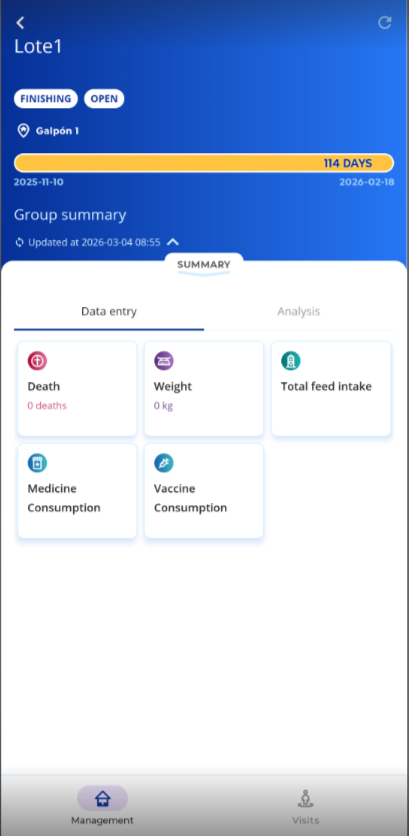
✨Golden tip: use the Agriness S4 mobile app to register as much information as possible directly on the farm - mortality, input consumption - ensuring data accuracy and real-time availability for analysis.
3- Analysis Indicator - What to monitor and where to find it in S4
With the data entered, S4 automatically calculates key performance indicators (KPIs). Focus your analysis on the three pillars of performance: ADG, Feed Conversion, Mortality.
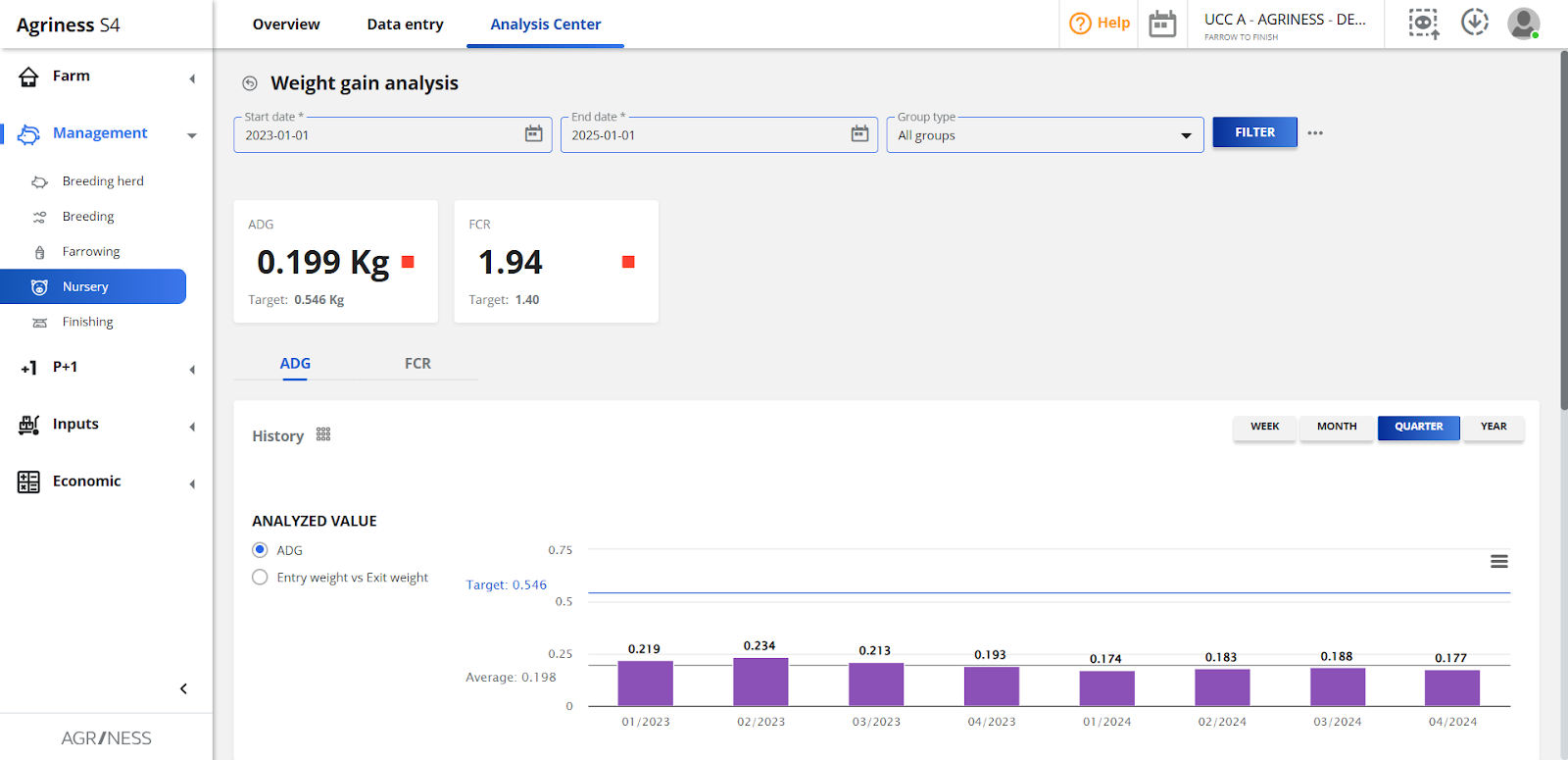
ADG (Average Daily Gain)
It measures the average weight an animal gains per day within a given period. An adequate ADG indicates good health, nutrition, and welfare. Compare ADG between different batches, genetics, and diets to identify the best management practices.
This indicator is calculated as: Average exit weight - Average entry weight / Days in phase
In S4, it can be analyzed in: Analysis Center> Weight gain analysis> ADG
FCR (Feed Conversion Ratio)
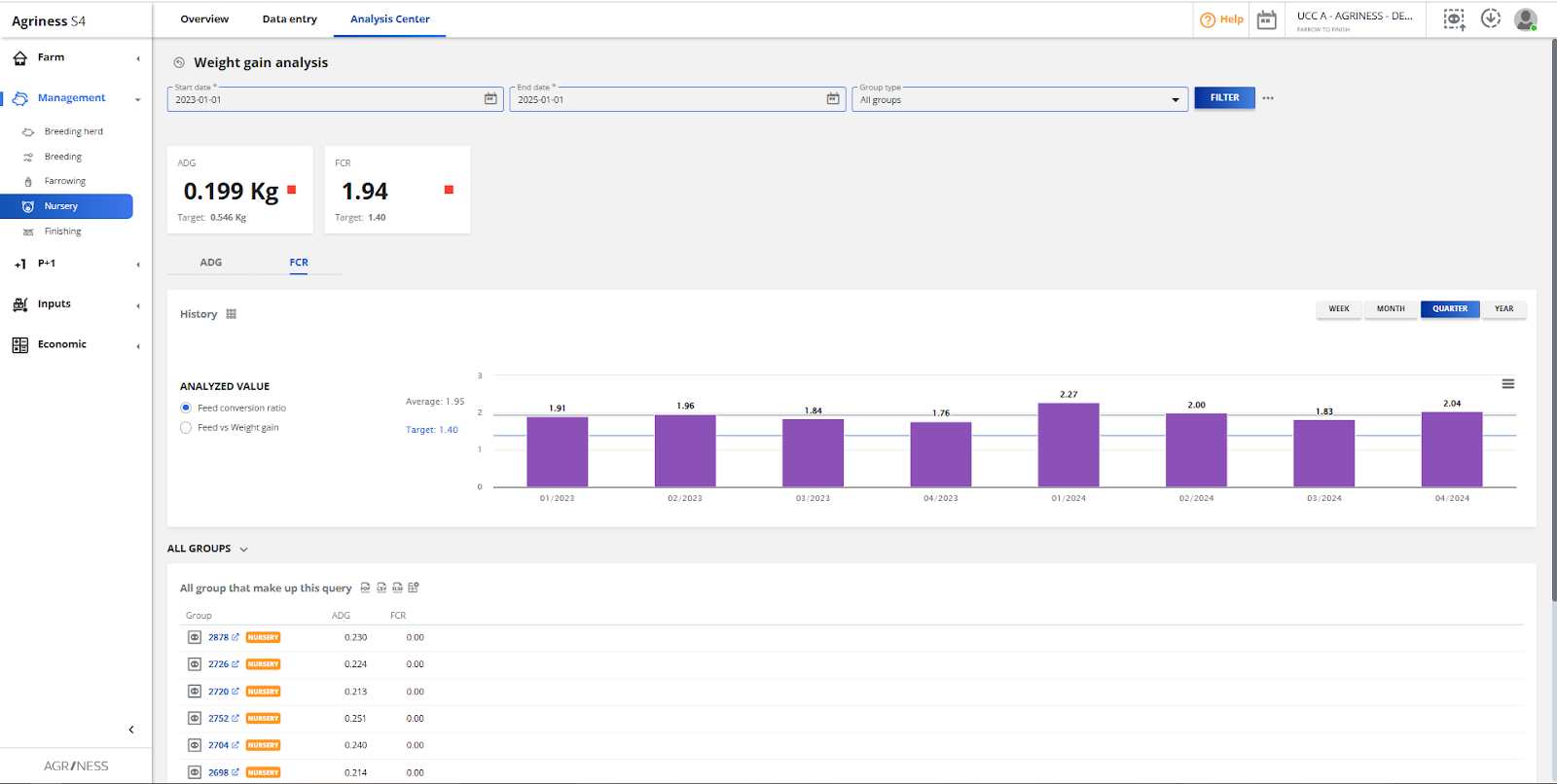
How many kilograms of feed the animal needed to consume to gain 1 kg of weight. It is the main efficiency indicator. The lower the FCR, the more efficient your production. A high FCR may indicate feed waste, health issues, or inadequate diet.
It is calculated as follow:
Closed group performance and Group form:
Total Feed / (Total exit weight - Total entry weight)
Phase (nursery or finishing) performance (open and closed groups):
Total Feed / (Average exit weight - Average entry weight) × Total animals exist per phase
In S4, it can be analyzed in: Analysis Center > Weight gain analysis > FCR
Mortality (%)
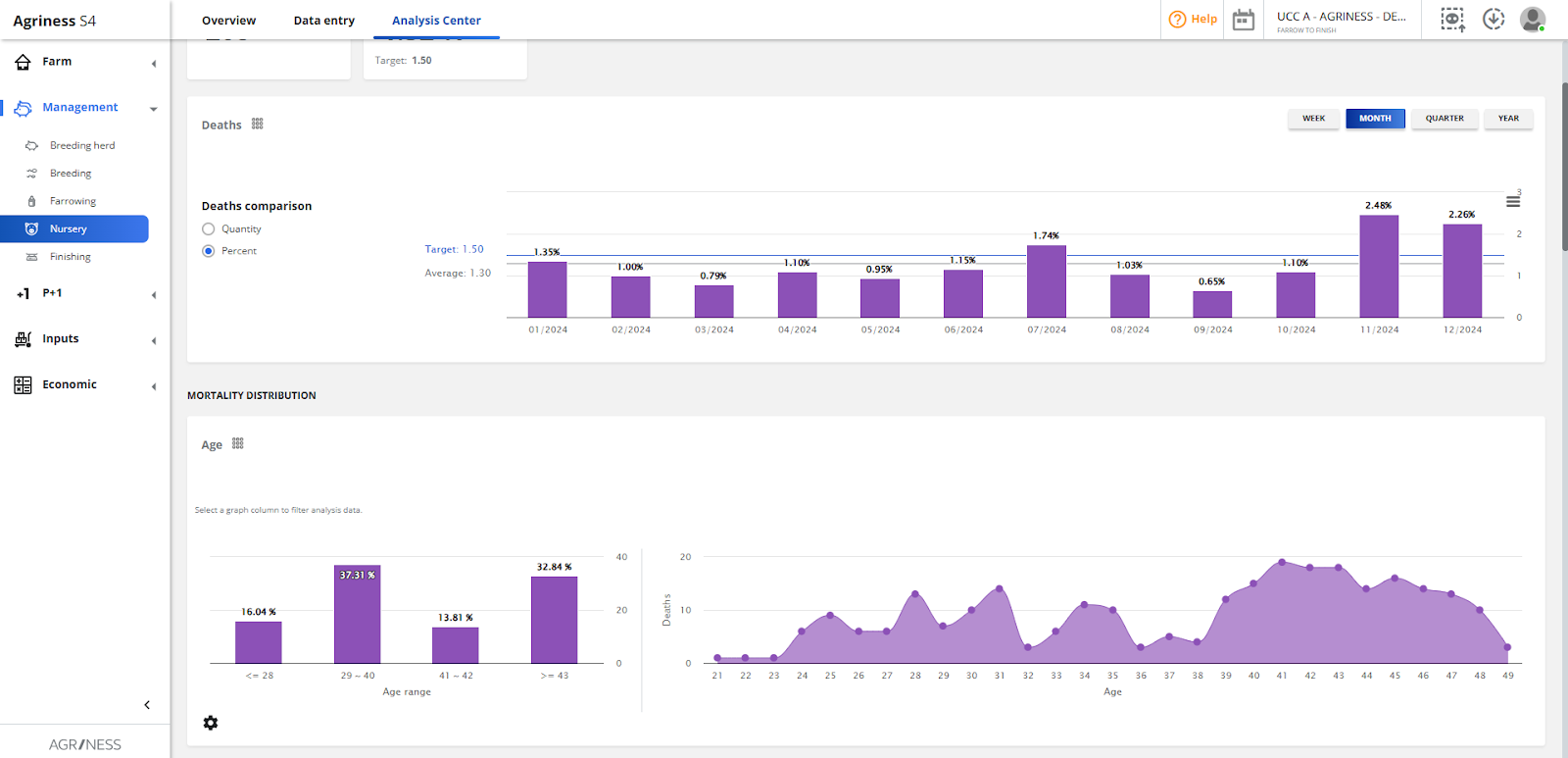
It indicates the percentage of animals that died during the phase. Analyze mortality as a percentage (total deaths over total animals) and, crucially, by age or days in phase. This detailed evaluation helps identify mortality peaks at specific ages, which may be related to health challenges, post-weaning stress, management failures, or nutritional issues in critical phases. Late-batch mortality is more harmful, as the animal has already consumed most of the feed, negatively impacting FCR and cost.
You can calculate percentage mortality as: (Sum(total deaths) / Sum(total animals entry)) × 100
In S4, it can be analyzed in: Analysis Center > Mortality analysis
It is also possible to explore the PEI (Productive Efficiency Index), which can serve as a "thermometer" for your farm's efficiency. It is a comprehensive metric that reflects the overall performance of the batch.
This indicator consolidates ADG, FCR, and Mortality into a single number, facilitating quick comparisons between batches: the higher the PEI, the better the overall performance of the batch. The objective of this indicator is to evaluate productive efficiency in a broader way, and not just in isolated indicators.
It is calculated as: (ADG * (100 - %Mortality) / FCR) * 10
In S4, it can be analyzed in: Analysis Center > Closed groups performance.
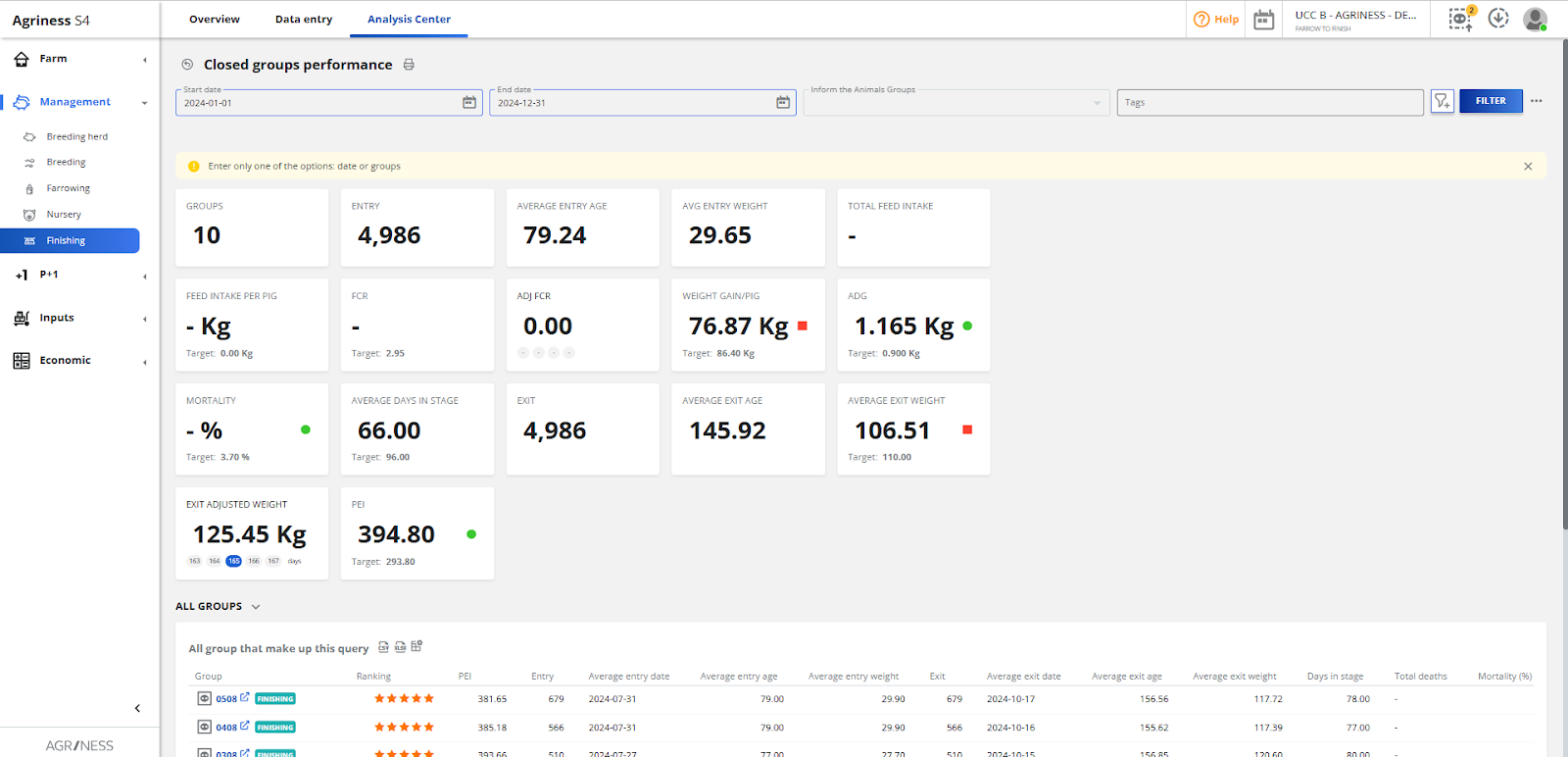
The group ranking is represented by the symbol: ⭐
The number of yellow stars that the group will have is calculated through a comparison between the group’s IEP and the IEP target calculated for the farm.
If the batch's IEP:
Complementary Indicators:
Days in phase: found in most performance reports, it helps understand if the batch reached the expected weight within the planned timeframe.
Total weight gain: shows the final result of the batch.
Cost per kilogram produced: crucial for economic analysis, consolidating all costs (feed, labor, etc.) and weight gain.
⚠️To evaluate costs, all purchase and sales transactions must be recorded with their respective values, including feed purchases and other inputs consumed.
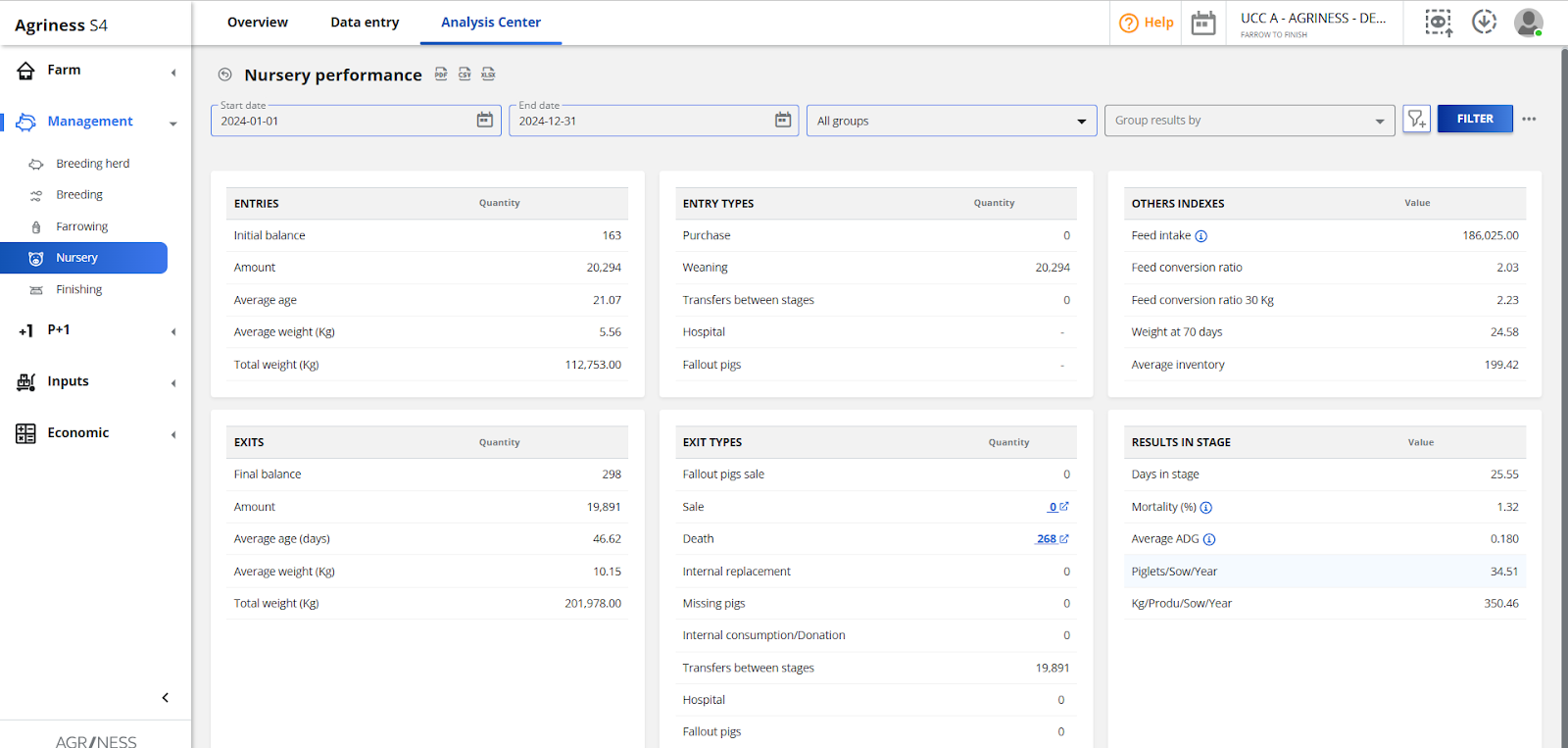
The general phase data can be accessed in: Analysis Center > Nursery performance:
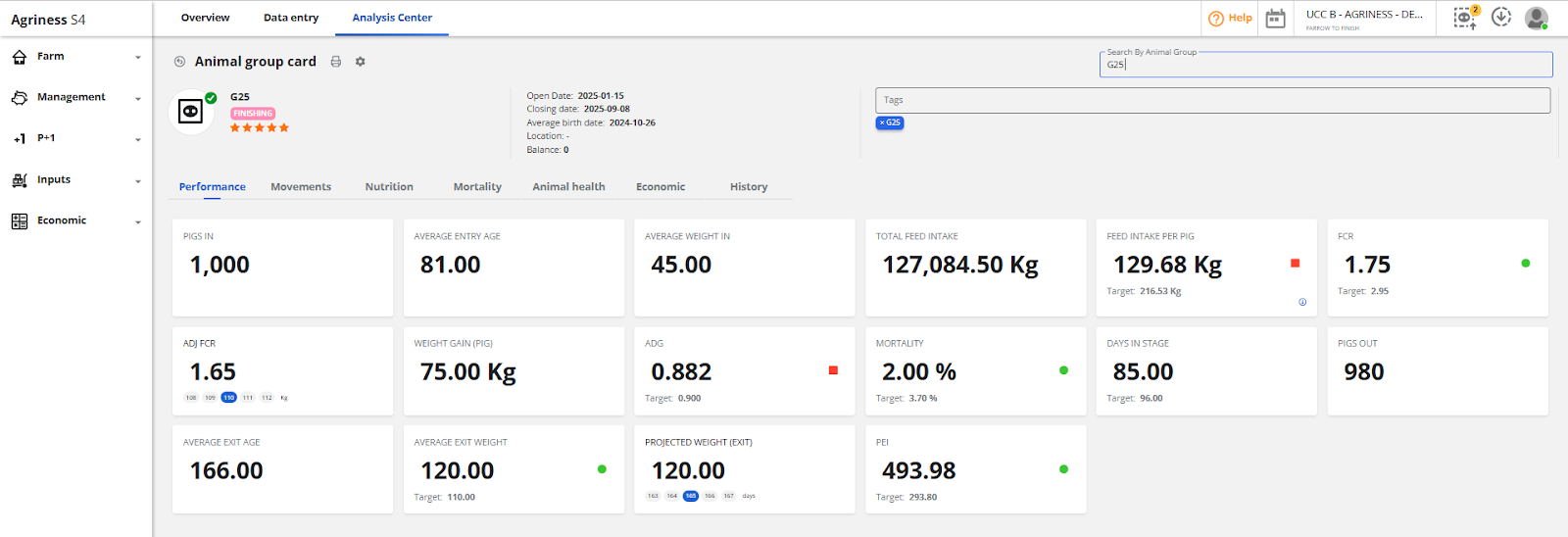
As well as in the group record, you can find all information for each group:
S4 does not give the answer, but shows the possible paths to where the root of the problem lies. Investigate the operational causes of the problems that the data points out.
Use S4 report filters to compare performance across different scenarios. If, halfway through the cycle, feed conversion is already high, you can investigate and act before the loss becomes greater. Check for feed waste, subclinical health issues, or overcrowding.
Objective: Use S4 not just to look at the past, but to manage the present and impact the future of the batch.