Hello! Follow the steps below to record additional information for breeding females in S4.
Tracking indicators such as backfat thickness, body condition score, weight, and other strategic production efficiency metrics is essential for effective herd management. Recording this information in a structured way within S4 allows the farm to identify the ideal condition of its breeding females and make decisions based on real data, eliminating the need for external spreadsheets while ensuring data traceability.
To record additional (optional) information, follow the instructions below according to the production stage:
Recording Information When Purchasing Gilts
Go to Management > Breeding Herd > Entries > Purchases > Add Gilt Purchase (Use the female characteristics or notes/comments fields. For weight, there is a specific field). 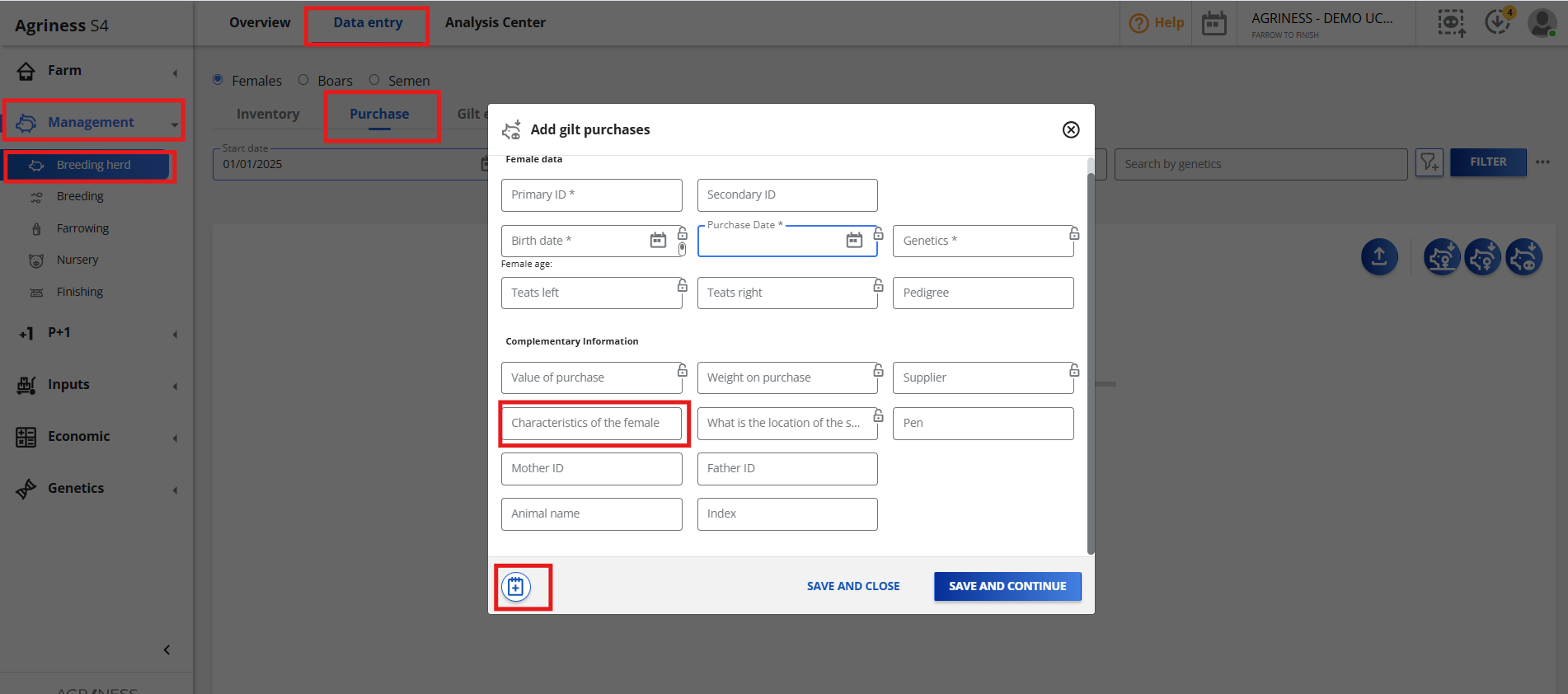
Recording Information at Breeding
Go to Management > Gestation > Entries > Breedings > Add Breeding (Use the female characteristics or notes/comments fields. For weight and body condition score, there is a specific field). 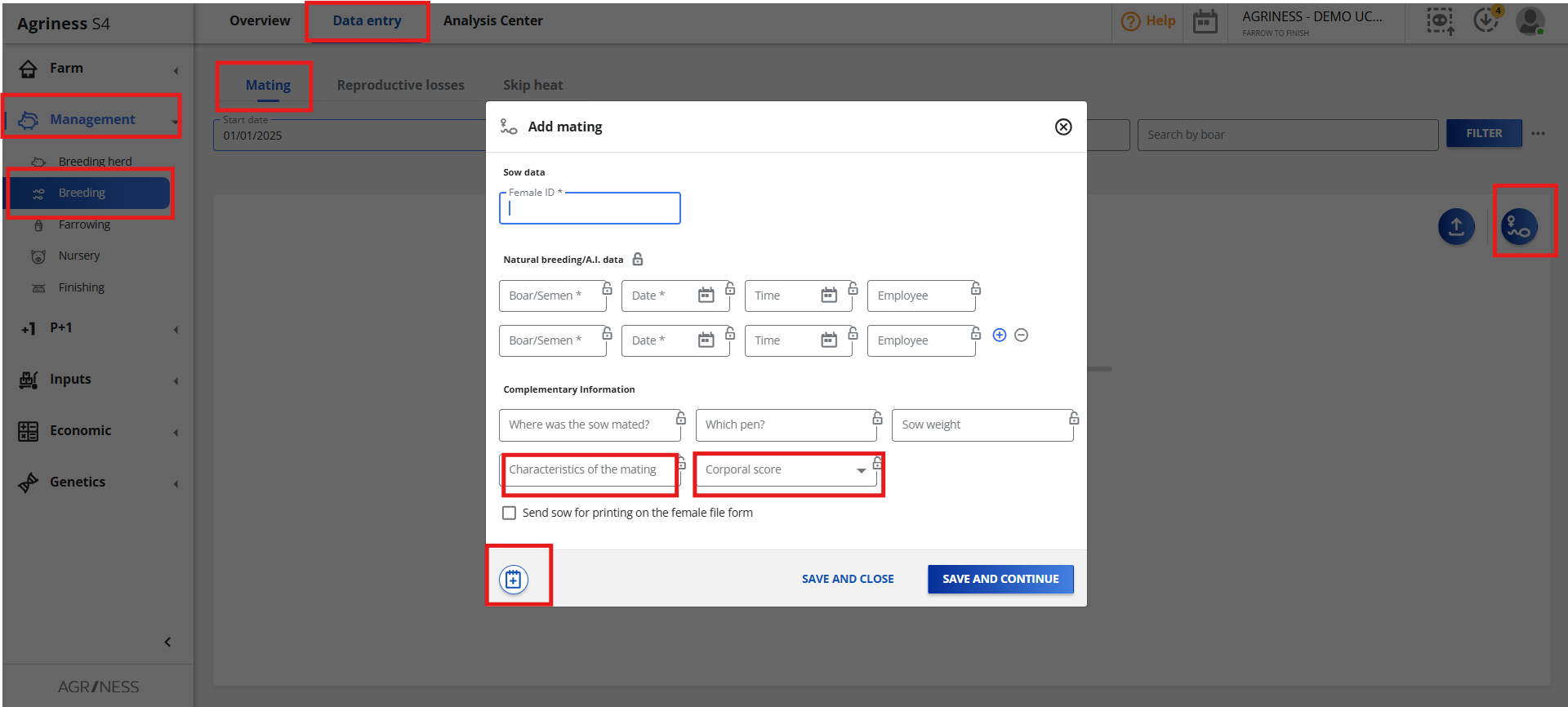
Recording Information at Farrowing
Go to Management > Farrowing > Entries > Add Farrowing (Use the farrowing characteristics or notes/comments fields. For weight and body condition score, there is a specific field). 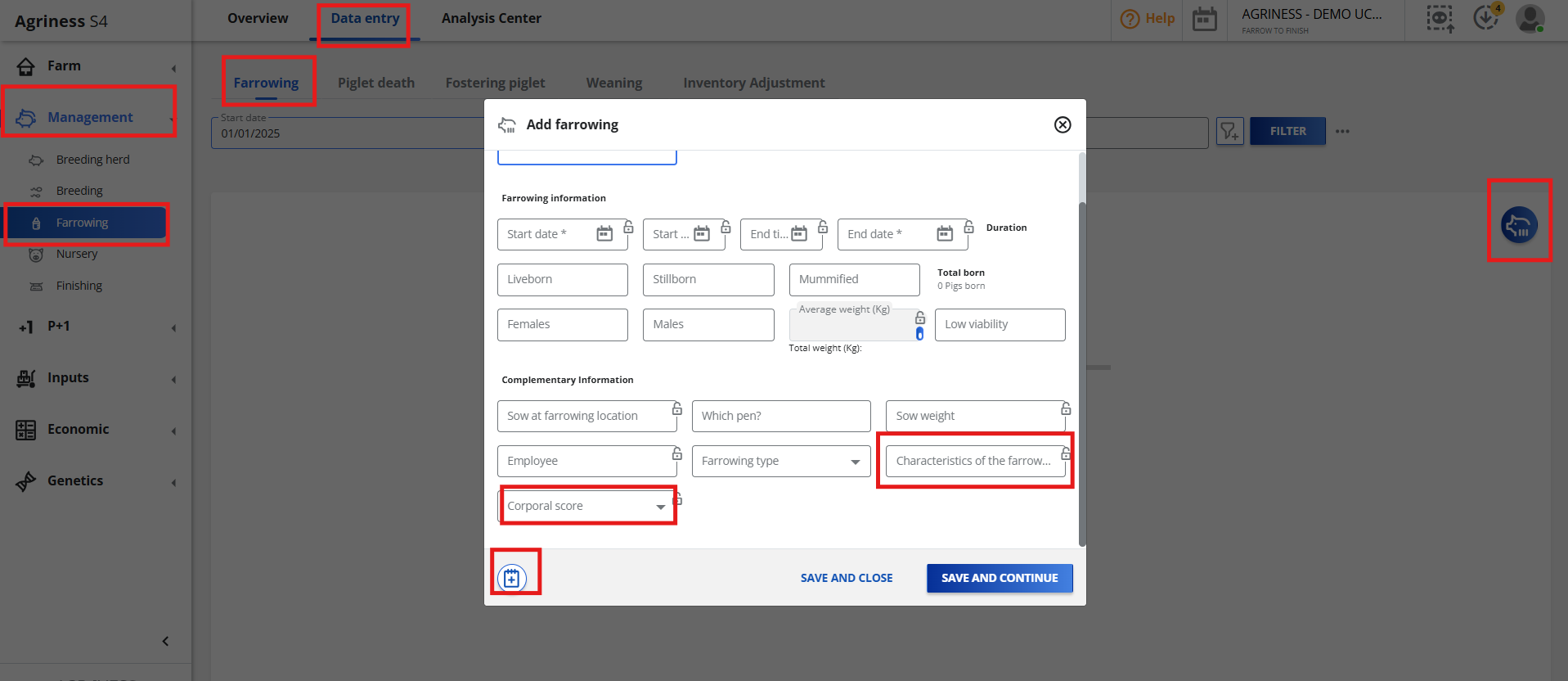
Recording Information at Weaning
Go to Management > Nursey > Entries > Weanings > Add Weaning (Use the weaning characteristics or notes/comments fields. For weight and body condition score, there is a specific field).
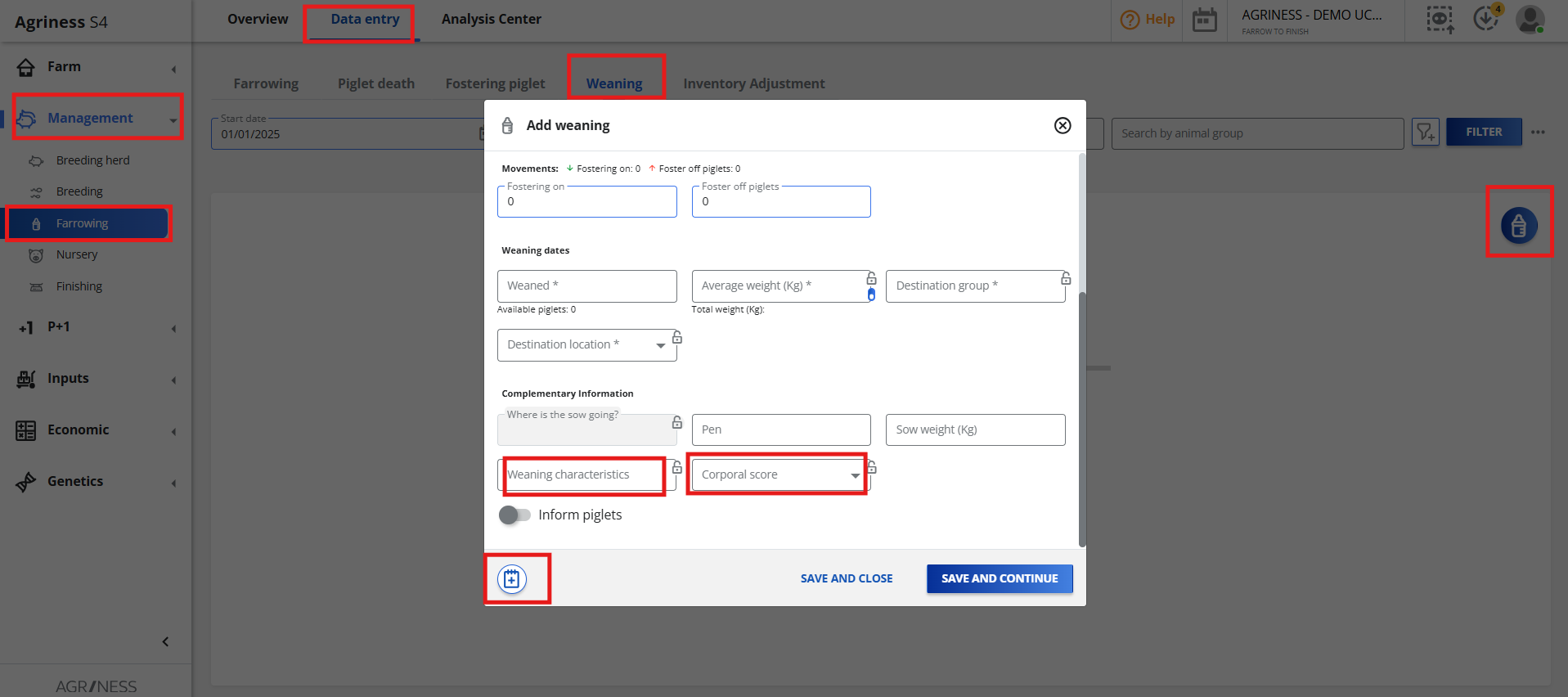
If there is any qualitative characteristic (e.g., "Agitated female" or "Low reserves"), use the fields to tag the event quickly. This allows for data extraction, advanced filters, and correlation analysis in reports.
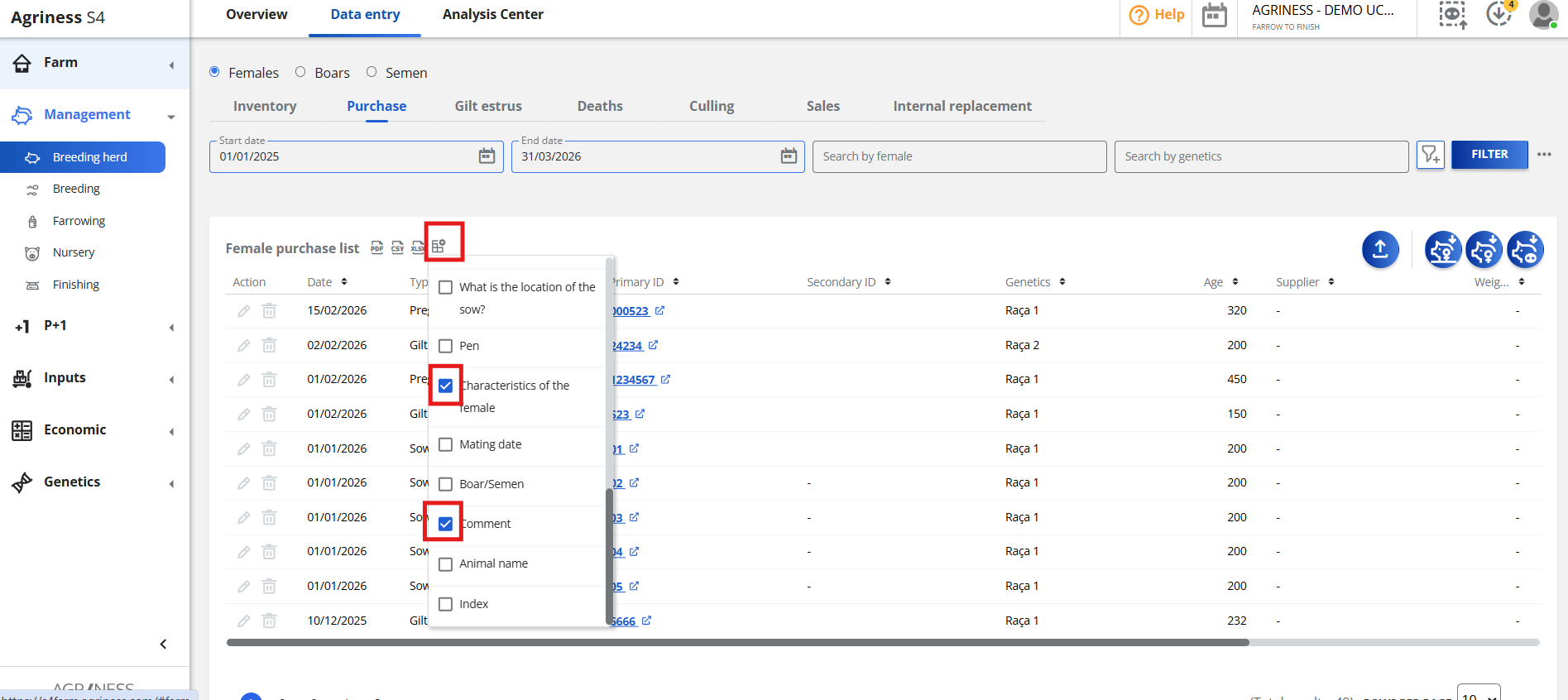
Remember that when extracting complementary information, you need to add the columns by configuring the list: